

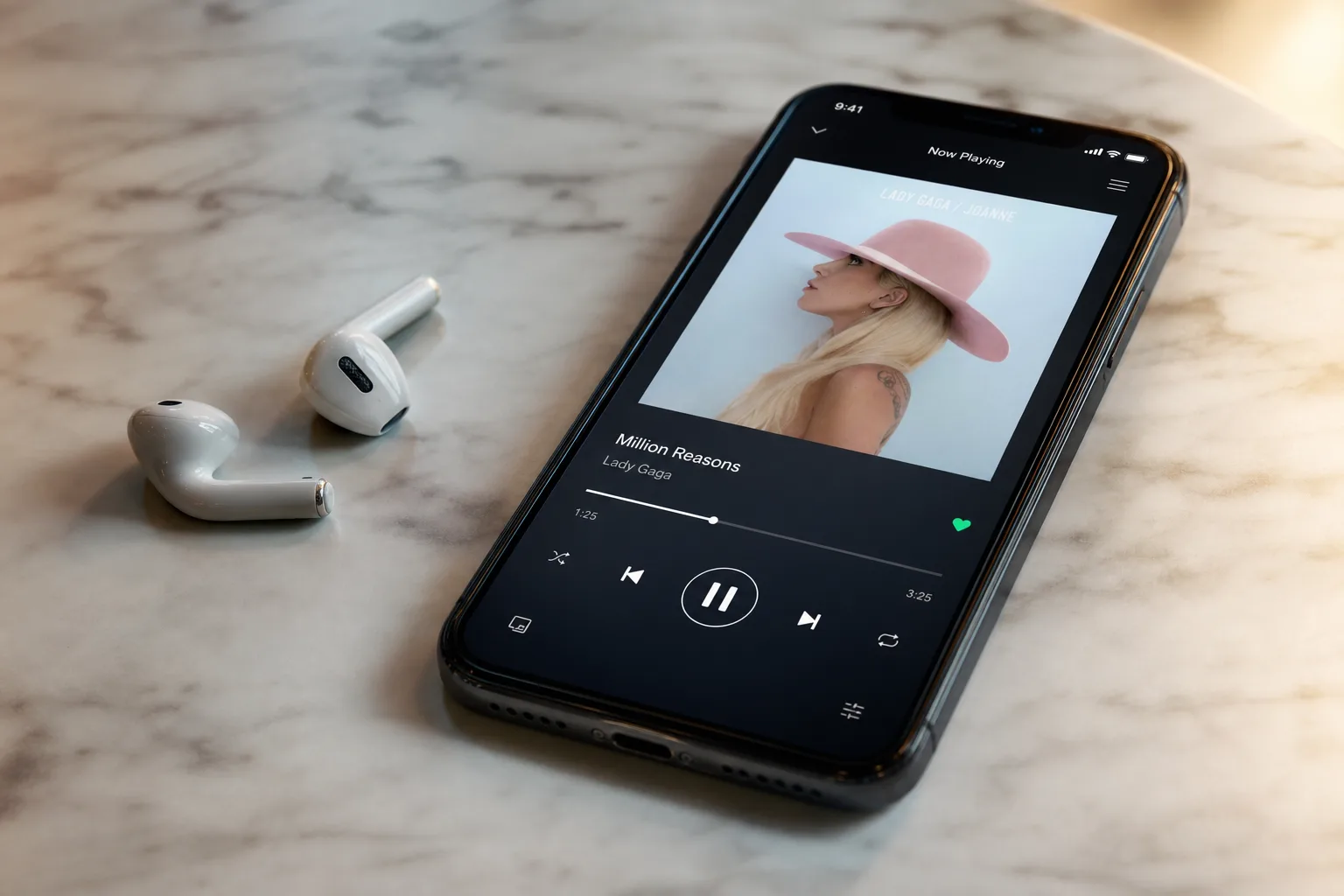
- Apple Music iOS 27 upgrades AutoMix with smarter AI transitions that blend tracks more seamlessly than before.
- Apple Music iOS 27 expands Lyrics Translation to seven new language pairings, using machine learning refined by human experts.
- Hi-Res Lossless Audio arrives on Apple TV 4K for the first time, raising the ceiling for living-room listening quality.
- A revamped Siri integration lets users hold natural, flowing conversations to control playback without breaking their train of thought.
Table of Contents
Apple Music iOS 27 Is a Quiet but Meaningful Upgrade
When Apple takes the stage at WWDC, it’s the headline features — new AI systems, redesigned interfaces, platform-wide changes — that pull focus. Apple Music iOS 27, by contrast, is a collection of carefully targeted improvements: smarter mixing, broader language support, a long-overdue audio quality bump for the living room, and tighter Siri hooks. None of it individually rewrites the rulebook. Taken together, though, it paints a picture of a streaming service that’s quietly, methodically narrowing the gap on rivals like Spotify and Tidal in areas that actually matter to serious listeners.
AutoMix Gets Smarter — and That’s No Small Thing
AutoMix has been one of Apple Music’s more underrated features since it launched. The idea is straightforward: rather than cutting abruptly between tracks or relying on a simple fade, the system analyzes key and tempo and constructs a musically coherent blend — something closer to what a skilled DJ does in a set. With Apple Music iOS 27, Apple says it has improved the algorithms powering those blends, resulting in new transition types that make the handoff between songs feel more organic.
What exactly those new transition types involve, Apple hasn’t spelled out in detail — we’re working from early developer beta documentation here, and the company tends to hold its cards close until a feature is polished. But the direction is clear. Apple wants AutoMix to feel less mechanical and more expressive, moving it closer to the kind of intelligent continuous mixing that Spotify’s AI DJ feature has been chasing since its own launch. For users who want a seamless background listening experience without needing to curate a DJ set manually, these improvements are genuinely welcome. The standard Crossfade option isn’t going anywhere, so listeners who prefer the traditional approach still have it.
Lyrics Tools: Translation, Pronunciation, and Real Linguistic Depth
One of the more ambitious corners of Apple Music iOS 27 is the expanded language support baked into its lyrics features. Lyrics Translation, which converts song lyrics into a language you can read while the music plays, is picking up seven new pairings in this release: English to French, English to German, English to Italian, English to Korean, English to Spanish, French to English, and Japanese to English.
That’s not just a numbers game. Apple is making a pointed claim about quality: the company says the system uses machine learning models fine-tuned by human language experts specifically to preserve the emotional weight, cultural references, and original intent of each song. Anyone who’s seen a blunt machine translation of a poetic lyric — where something heartfelt becomes something clinical — will appreciate why that caveat matters. Whether Apple’s approach genuinely threads that needle is something users will judge for themselves, but the framing signals that the company understands the problem.
Alongside translation, Lyrics Pronunciation is expanding with five new pairings: Arabic to Romanized Arabic, English to Hangul, English to Katakana, Japanese to Hangul, and Mandarin Chinese (simplified) to Katakana. This feature helps listeners sing along when the original lyrics are in a language whose writing system they can’t read fluently — a genuinely useful tool for the K-pop and J-pop audiences that have become a substantial part of Apple Music’s subscriber base. The specific pairings chosen here reflect that reality directly.
Hi-Res Lossless Finally Comes to the Living Room
This one has been a long time coming. Apple Music has offered Hi-Res Lossless Audio for some time, but until now that tier has been absent from tvOS. With Apple Music iOS 27, Apple is bringing Hi-Res Lossless to Apple TV 4K, alongside the standard Lossless tier that was already available.
The catch, as always with high-resolution audio, is the output chain. You’ll need a compatible external speaker system or DAC connected to the Apple TV 4K to actually hear the difference. The device’s built-in HDMI output to most televisions won’t pass uncompressed audio at that resolution — the TV itself typically recompresses it. For users with a proper stereo or home theater setup, though, this is a meaningful unlock. The Apple TV 4K sitting between a NAS full of Apple Music streams and a quality amplifier can now deliver studio-grade audio, which is exactly the use case that audiophile-leaning subscribers have been requesting since Hi-Res launched on iOS and macOS years ago.
Performance, Polish, and a Lock Screen Tweak
Apple also says Apple Music iOS 27 improves the reliability of streaming playback overall — a vague promise, but one that suggests the engineering team has been addressing background connectivity issues that have occasionally plagued the service. More tangibly, the Now Playing view loads faster, and the time between opening the app cold and audio actually starting has been reduced. These aren’t glamorous changes, but they’re the kind of friction that erodes user satisfaction quietly, and fixing them matters.
There’s also a small but satisfying UX addition: users can now swipe the Now Playing widget off the Lock Screen to dismiss it. It sounds minor, but this is the sort of interaction that people ask for constantly and wait years to get. The artist and album pages have also been redesigned — the artist page gains a prominent shuffle button and a refreshed layout, while album page changes appear to be more subtle, with nothing dramatically visible in the first developer beta.
Siri Integration: Conversational Control Finally Makes Sense
Perhaps the most forward-looking change in Apple Music iOS 27 is how the service connects with the revamped Siri. Apple has rebuilt Siri around a more conversational, context-aware model, and Apple Music is one of the first places where that pays off concretely. You can ask Siri about an artist — their history, their albums, their style — and then pivot directly into a playback command without losing the thread of the conversation. Apple’s example: ask about an artist, then say ‘play one of her new singles’ mid-conversation to start the music immediately.
That kind of contextual continuity is something voice assistants have promised for years but rarely delivered cleanly. Google Assistant and Amazon Alexa have taken runs at it with mixed results. If Apple’s implementation actually holds up in day-to-day use, it could make voice-driven music discovery feel less like issuing commands to a machine and more like talking to someone who actually remembers what you said five seconds ago. The real test will come when iOS 27 reaches general availability — developer betas have a way of making features look better than they perform under real-world conditions.
Altogether, Apple Music iOS 27 reads as a release aimed squarely at retention. The users most likely to notice and appreciate these changes — audiophiles, multilingual listeners, people who use Apple TV as a serious audio source, Siri power users — are exactly the subscribers Apple most wants to keep. It’s less about attracting new sign-ups and more about giving existing ones fewer reasons to look at Spotify’s feature set and wonder what they’re missing.
Frequently Asked Questions
What is AutoMix in Apple Music iOS 27 and how has it changed?
AutoMix is Apple’s AI-powered feature that blends songs using matching key and tempo. In iOS 27, Apple has improved the underlying algorithms to generate new transition types, making blends feel smoother and more varied. The classic Crossfade option remains available for those who prefer it.
Which languages does Lyrics Translation support in iOS 27?
iOS 27 adds seven new language pairings: English to French, German, Italian, Korean, and Spanish, plus French to English and Japanese to English. Apple says the feature uses machine learning fine-tuned by language experts to preserve the emotional intent and cultural context of each song.
Does Apple Music iOS 27 support Hi-Res Lossless on Apple TV?
Yes. Apple Music iOS 27 brings Hi-Res Lossless Audio to tvOS for the first time, alongside the existing standard Lossless tier. Subscribers with compatible external speaker outputs connected to an Apple TV 4K can stream music at full studio quality.
How does the new Siri integration work with Apple Music in iOS 27?
In iOS 27, Apple Music gains deeper integration with Siri, allowing users to maintain conversational context across follow-up commands. You could ask about an artist and then say ‘play one of her new singles’ without breaking the flow of the conversation. It’s designed to feel like a natural back-and-forth rather than a series of isolated voice commands.

