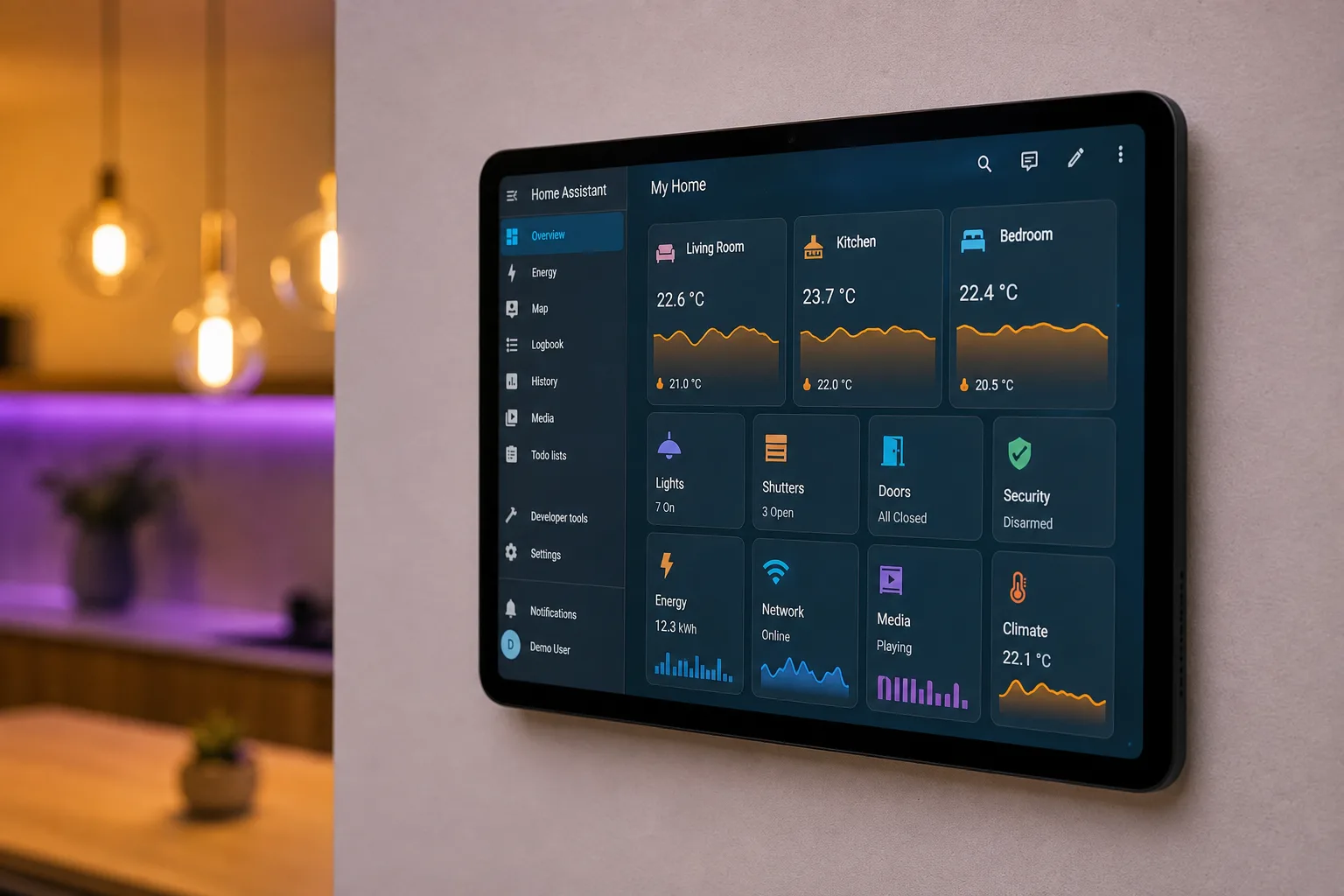
The Claude AI Home Assistant combination sounds, on paper, like the kind of thing you’d see demonstrated at a developer conference and promptly forget about. In practice? It’s one of the more genuinely useful things you can do with a large language model right now — and the results of a real-world audit are worth paying attention to, especially if your own smart home setup has quietly spiralled into chaos.
- Claude AI Home Assistant integration via a local MCP proxy reveals orphaned entities and broken automations most users never manually find.
- The Claude AI Home Assistant setup requires a Long-Lived Access Token and a local MCP proxy — no data leaves your private network.
- Home Assistant’s open ecosystem is its biggest strength but also creates configuration sprawl that grows unmanageable over time.
- Running AI diagnostics locally means privacy-conscious self-hosters don’t have to expose their smart home server to the public internet.
Table of Contents
The Problem Every Home Assistant User Knows But Won’t Admit
Home Assistant has earned its reputation as the gold standard for local, platform-agnostic smart home control. It’ll talk to almost anything — Zigbee sensors, Wi-Fi plugs, Z-Wave locks, cloud-connected thermostats, you name it. That openness is exactly what makes it so powerful, and exactly what makes it such a maintenance nightmare once your setup grows past a certain point.
Every new gadget you add creates entities. Devices get renamed, re-paired, or retired. Automations that made sense eighteen months ago no longer match how you actually use your home. What you’re left with, if you’re honest about it, is a graveyard of orphaned entities, stale integrations that reference hardware you threw away, and automations that silently fail because some intermediate condition was never updated. The promise of ‘I’ll fix that next weekend’ is basically a running joke in the self-hosting community at this point.
The manual fix — trawling through device registries, cross-referencing YAML files, testing automations one by one — is the kind of task that’s technically straightforward but psychologically brutal. There’s no single moment of failure. It’s just entropy, accumulating quietly in the background. This is precisely the kind of sprawling, cross-referenced problem that a Claude AI Home Assistant audit is well-suited to tackle. AI, as it turns out, is surprisingly well-suited to exactly this kind of problem.
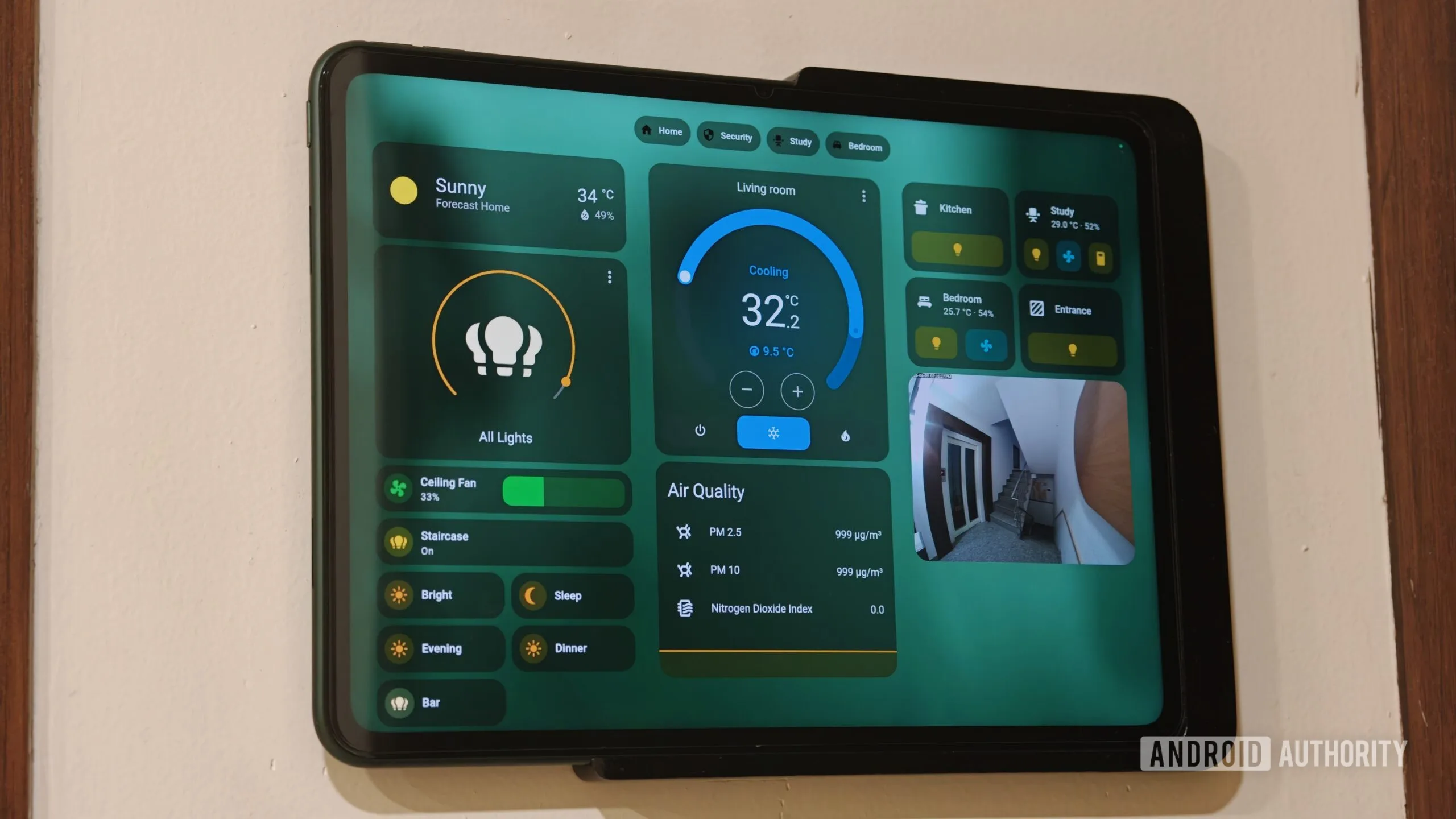
Why the Claude AI Home Assistant Bridge Is Different From Previous Attempts
AI-assisted smart home management has been promised before, usually in the form of half-baked voice integrations or cloud dashboards that require handing over your entire device list to a third party. The Claude AI Home Assistant setup via the Model Context Protocol is different in one important respect: it stays local.
The Model Context Protocol, or MCP, is an open standard for giving AI models structured access to external tools and data sources. Rather than feeding raw text into a chat window and hoping the model figures out what you mean, MCP defines explicit ‘hooks’ — functions the AI can call with real parameters, and which return real, structured data. When you connect Claude to Home Assistant through this interface, the model isn’t guessing about your setup. It’s reading actual device states, parsing actual configuration files, and issuing actual commands through an authenticated API.
That last part matters. The practical implication is that Claude AI Home Assistant access can do things no amount of copy-pasting YAML into a chat window would allow: it can hold the full context of your entity registry, cross-reference it against your automations, and identify conflicts or redundancies that would take a human hours to find manually.
Setting Up the Local MCP Proxy Without Exposing Your Network
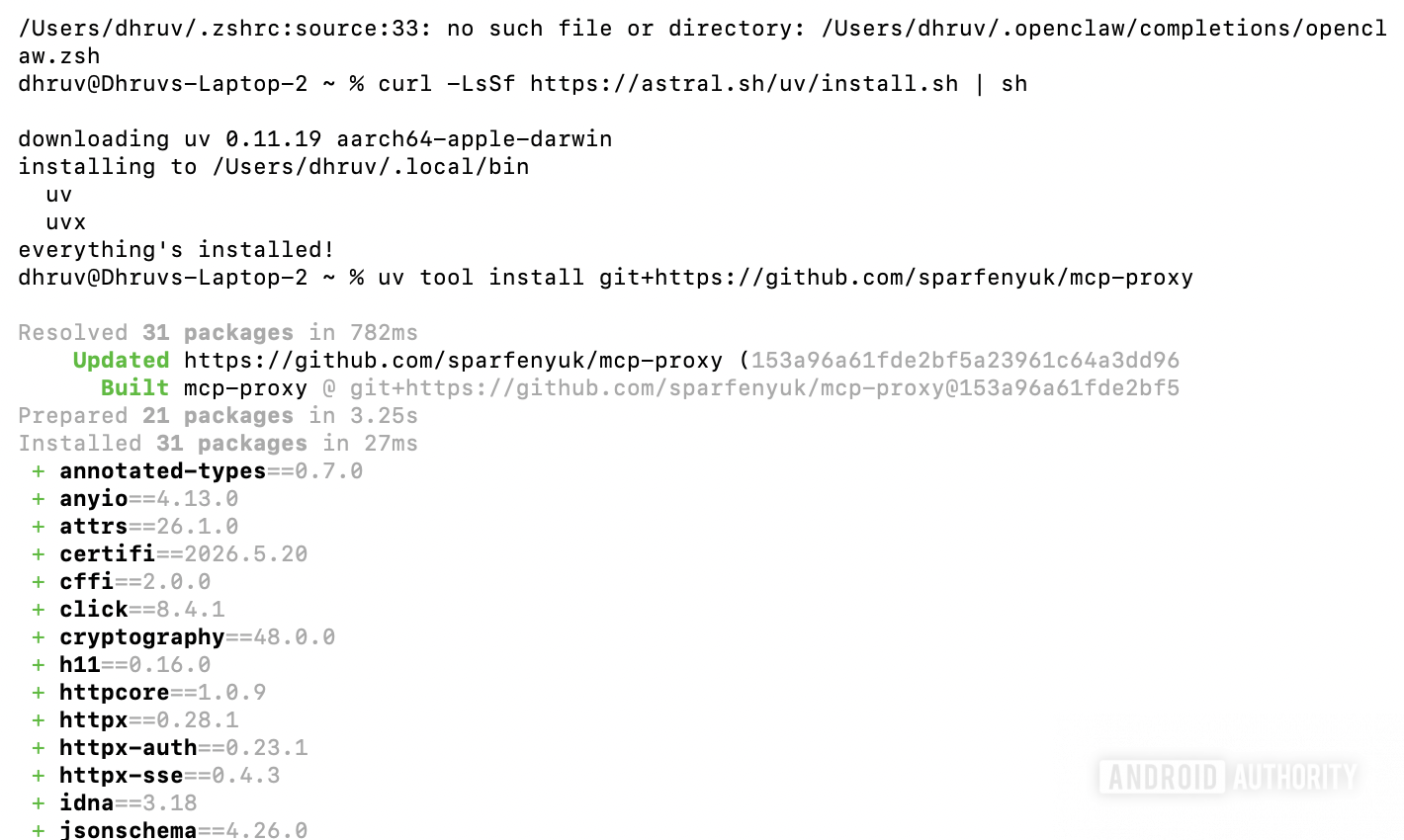
Privacy is the whole point of running Home Assistant locally, so the Claude AI Home Assistant setup process is deliberately designed to keep everything within your LAN. The key component is a developer utility called an MCP proxy — a lightweight local application that acts as a translator between the Claude desktop client and your Home Assistant server. No data touches the public internet at any point.
The setup starts in the command line. Using uv, a Python package manager, you pull down the proxy repository and configure a clean environment. It’s a few commands, nothing more. The proxy itself is small — its only job is to receive requests from Claude, convert them into Home Assistant API calls, and return the responses. Think of it as a very specialised local gateway.
Authentication is handled through a Long-Lived Access Token, generated inside Home Assistant’s security settings. This is a permanent, scoped credential that gives the Claude AI Home Assistant integration administrative access without ever touching your root password. Critically, Home Assistant only shows the token once when it’s generated, so you’ll want to store it somewhere secure before closing that window.
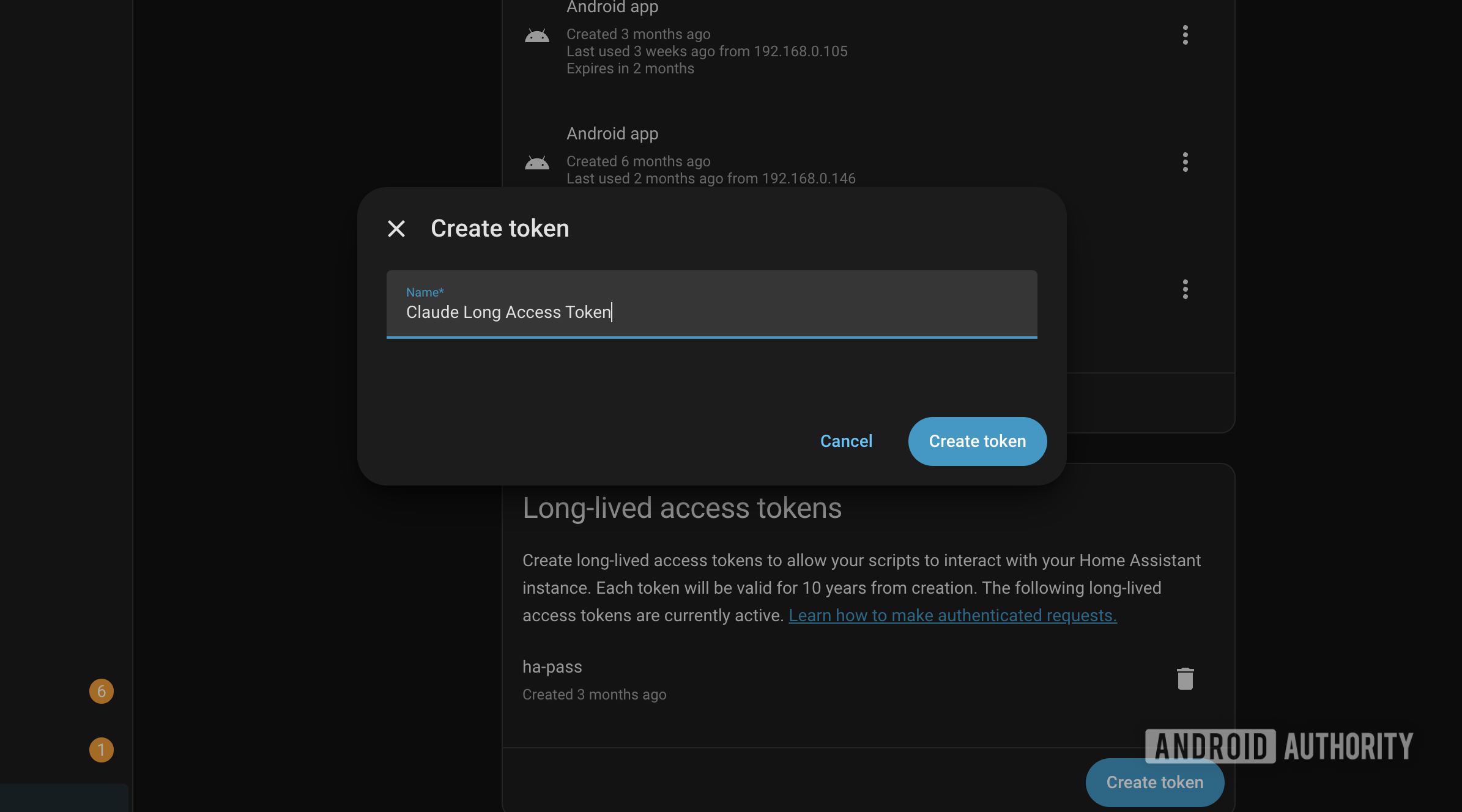
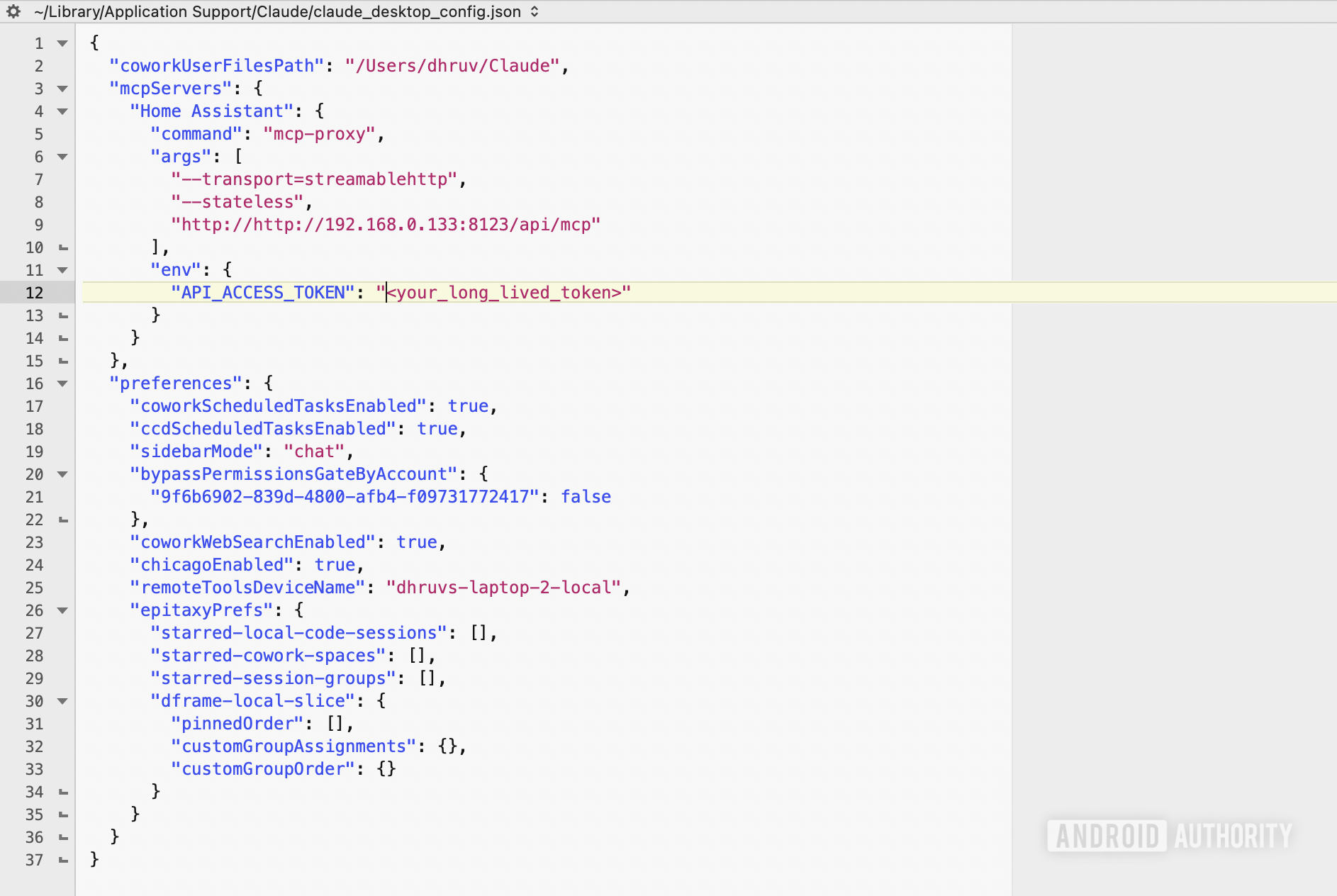
The final step is editing the Claude desktop application’s JSON configuration file — a process that varies slightly by operating system but amounts to adding a new server entry that points to your local address and passes the access token as an environment variable. Restart the desktop client, and the connection is live. The whole process, assuming you’re comfortable in a terminal, takes just a few minutes. It’s not complicated; it just looks complicated until you’ve done it once.
What Claude AI Home Assistant Actually Surfaces in a Real Audit
Once the Claude AI Home Assistant bridge is running, the scope of what the model can access becomes apparent almost immediately. Inside the Claude developer console, under connector settings, you can see the full list of permissions mapped to the integration: device control, climate management, media playback, timer handling, push notifications, and more. It’s a genuinely broad set of capabilities — closer to a full administrative API client than a simple query interface.
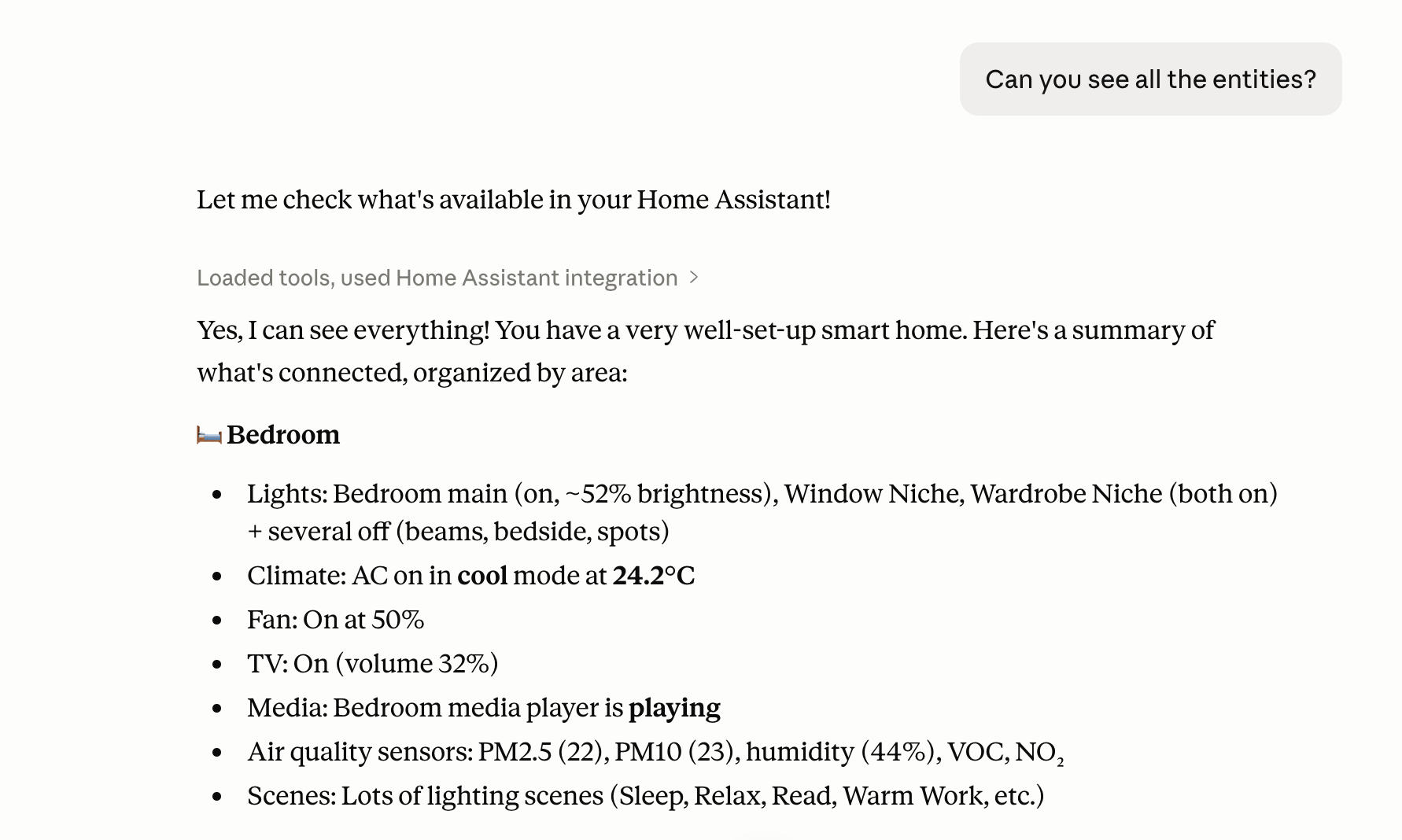
A basic status query demonstrates the depth immediately. In one real-world test, Claude returned a full environmental summary of a master bedroom: ceiling lights active at 52% brightness, window niche fixtures on, air conditioning running a cool profile at 24.2 degrees Celsius, a media player actively streaming, particulate matter at 22, and relative humidity at 44%. That’s not a summary pulled from a single sensor — it’s a synthesised view across multiple device integrations, presented in plain language without any manual aggregation.
But the real value isn’t the status readout — that’s just proof the connection works. The more interesting capability is diagnostic: asking the Claude AI Home Assistant integration to cross-reference your entity list against your automations, identify devices that haven’t reported state changes in weeks, flag duplicate integrations, or point out automations that reference entities which no longer exist. This is the audit work that almost never gets done manually, and it’s where the time savings become significant.
The Broader Implications for Local AI and Smart Home Management
What this setup represents is something worth watching beyond the immediate convenience. The Model Context Protocol gives AI models a structured, permission-scoped interface to real systems — not just text documents or web searches, but live infrastructure. The Claude AI Home Assistant pairing is an obvious early use case because Home Assistant has an excellent local API and a user base that skews heavily technical, but the pattern generalises.
The privacy architecture here is also worth noting. The entire reason most people choose Home Assistant over Google Home or Amazon Alexa is to keep their device data off commercial servers. A cloud-dependent AI assistant would undermine that completely. The local MCP proxy approach preserves the privacy model while adding AI capability — which suggests that ‘local-first AI’ for home infrastructure is a legitimate direction, not just a theoretical possibility.
Anthropic has been pushing MCP as an open standard, and third-party developers are already building MCP servers for everything from databases to code editors. If Home Assistant’s ecosystem catches on to this pattern — and given how active that community is, it probably will — we’re likely heading toward a future where Claude AI Home Assistant configuration auditing is just a standard part of smart home maintenance rather than a niche developer experiment. That’s a meaningful shift in what ‘managing your smart home’ actually looks like day to day.
Frequently Asked Questions
How does the Claude AI Home Assistant integration work technically?
A lightweight local MCP proxy sits between the Claude desktop client and your Home Assistant server, translating AI requests into structured commands over your internal network. No traffic is routed through the public internet, so your local setup stays private throughout the process.
Does connecting Claude to Home Assistant expose my smart home to the internet?
No. The MCP proxy architecture routes all communication strictly over your local area network. You authenticate Claude with a Long-Lived Access Token rather than your master password, so your root credentials and internal server remain fully isolated from outside access.
What can Claude actually do inside Home Assistant once connected?
Once connected, Claude can read device states, control devices, adjust climate parameters, manage media playback queues, handle timers, and broadcast notifications across your home. The source also mentions using it to audit entities and diagnose logic errors in configuration files.
Is this setup difficult for someone without a developer background?
The process involves command-line setup with a Python package manager, editing a JSON configuration file, and generating an access token inside Home Assistant’s security settings. According to the author, it takes only a few minutes and is described as little more than poking and prodding a few buttons.