

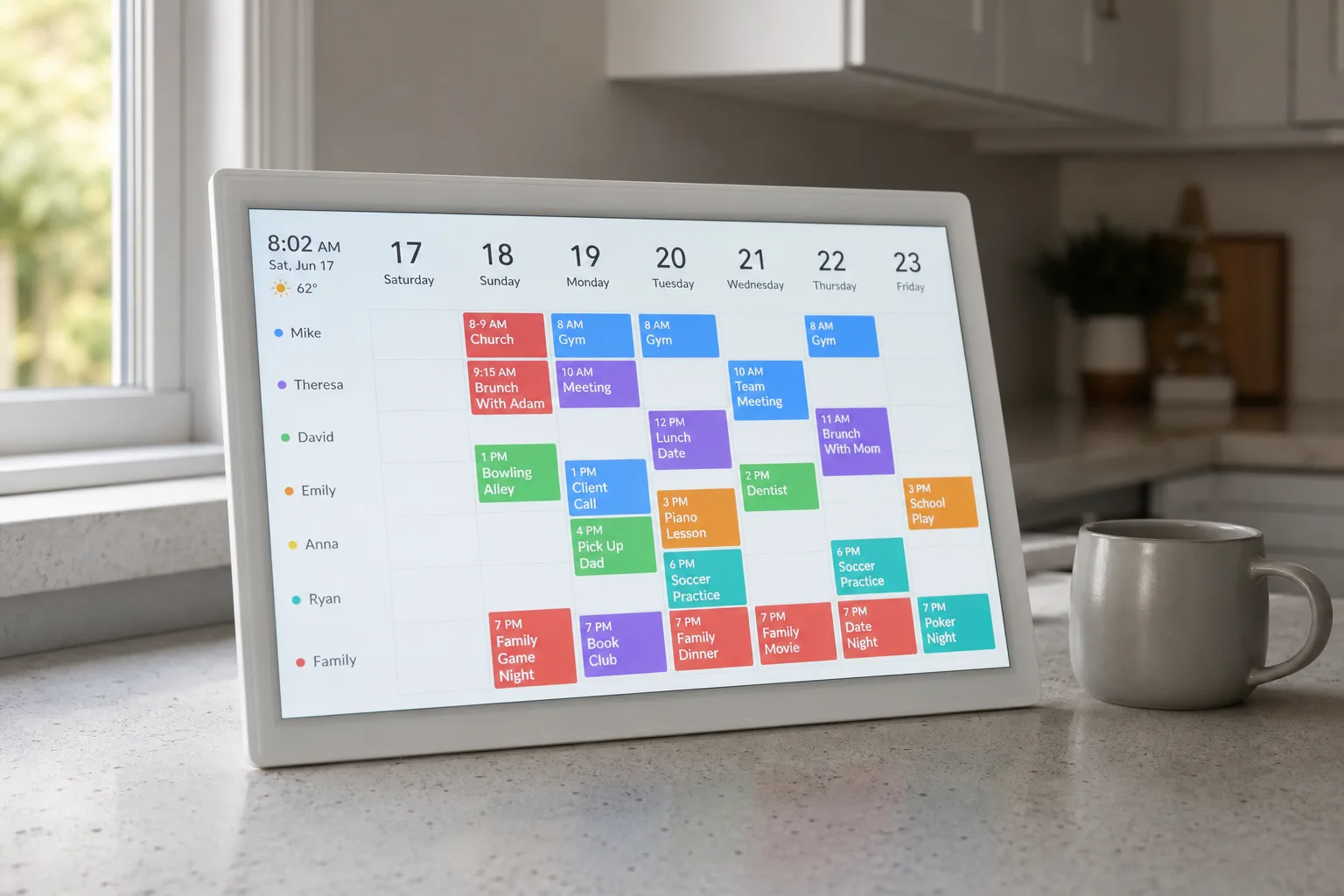
The Skylight Calendar has been quietly winning over households that swore they’d never hang a screen on their kitchen wall. And with both the 15-inch Skylight Calendar 2 and the larger 27-inch Skylight Calendar Max on sale during Amazon Prime Day 2026, there’s a real case to be made that now is the right moment to pick one up — if you haven’t already.
- The Skylight Calendar 2 is a 15-inch digital wall calendar that combines family scheduling, chore tracking, and meal planning in one screen.
- The Skylight Calendar is available in two sizes — 15-inch and 27-inch Max — with both models discounted during Amazon Prime Day 2026.
- A Skylight Plus subscription at $79 per year unlocks meal planning, photo mode, and Magic Import for converting emails into calendar events.
- Buying directly from Skylight’s website includes a free month of Skylight Plus, making it the smarter purchase option outside of Prime Day.
Table of Contents
What Is the Skylight Calendar, Exactly?
At its core, the Skylight Calendar is a touchscreen display designed to live in your home — on a kitchen counter, mounted to a wall, or propped up near the front door — and act as a shared hub for everything your household needs to stay coordinated. Think of it as a Google Calendar you can see from across the room, combined with a chore tracker, a meal planner, and a digital photo frame, all wrapped in a clean, approachable interface that doesn’t require a computer science degree to set up.
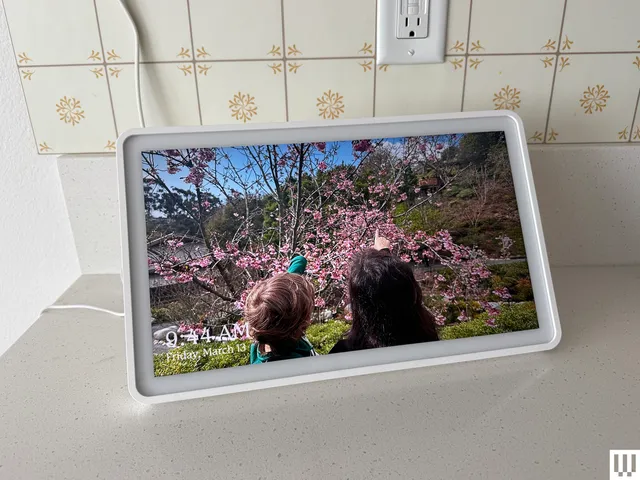
Skylight isn’t new to this space. The company built its reputation on digital photo frames before expanding into calendar displays, and that heritage matters. The photo frame experience is genuinely polished — something you notice when a device like this transitions from showing Saturday’s soccer schedule to a slideshow of last summer’s holiday photos without any awkward lag or visual clunkiness.
The Skylight Calendar 2: Right-Sized for Real Life
The 15-inch Skylight Calendar 2 is the model most households will want. It’s the sweet spot — large enough to read comfortably from the other side of a kitchen, small enough that it doesn’t dominate whatever surface it’s sitting on. The black-border version is currently the best-priced option on Amazon for Prime Day, though it’s worth checking Skylight’s own website too, where pricing outside of sale events is often competitive and comes bundled with a free month of Skylight Plus.
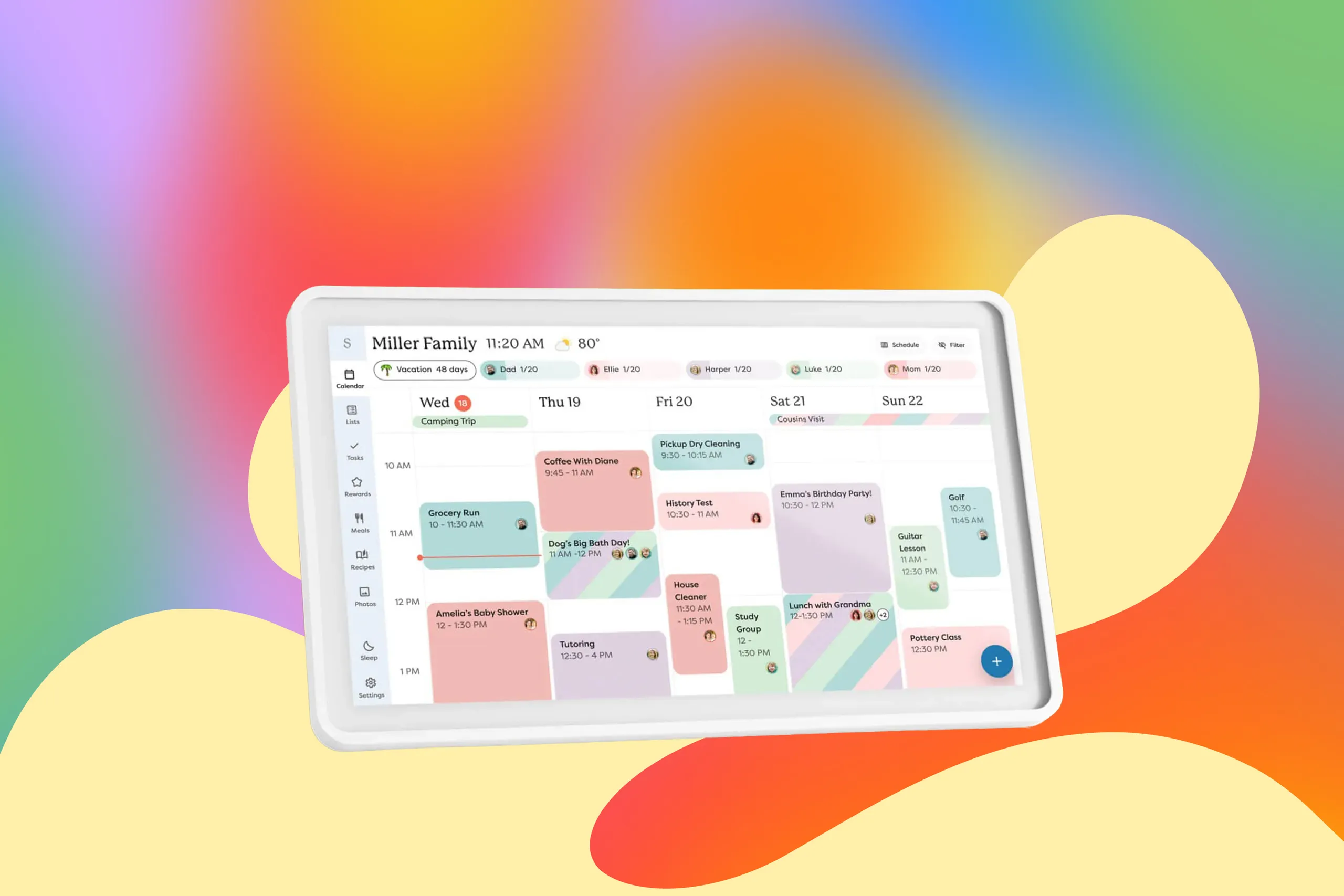
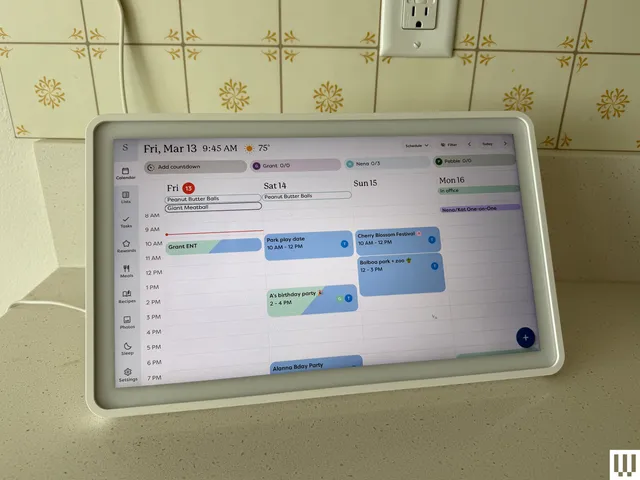
Setup is where the Skylight Calendar earns its reputation for being genuinely user-friendly. Connect it to Wi-Fi, link your existing calendars — Google Calendar, Apple Calendar, Outlook — and within minutes your entire family’s schedule is visible on screen. No syncing headaches, no manual entry for recurring events you’ve already set up elsewhere. The Skylight Calendar pulls everything in and presents it cleanly, with colour-coded entries that make it easy to see at a glance whose appointment is whose.
The chore tracker is a feature that sounds gimmicky until you actually use it. Assign tasks to different family members, check them off on the screen directly, and suddenly you’ve got a low-friction accountability system that doesn’t involve nagging anyone to check their phone. For households with kids, this is the kind of thing that genuinely changes daily routines.
The Skylight Calendar Max: Go Big or Go Home
If the 15-inch model is the practical choice, the 27-inch Skylight Calendar Max is the statement piece. It’s a lot of screen — closer in scale to a small television than anything you’d call a ‘frame’ — and it dominates a wall in a way that won’t suit every home. But in an open-plan kitchen-living space, or a busy family command centre near the garage entrance, the extra real estate genuinely earns its keep. Text is larger, the calendar grid feels more spacious, and multiple family members can glance at it simultaneously without crowding around.
WIRED’s Chris Haslam reviewed the Max and came away positive, noting that the size works in the right context. That tracks — the Max isn’t trying to be subtle, and if you’ve got the wall space, it delivers.
The Subscription Question: Is Skylight Plus Worth It?
Here’s where the Skylight Calendar conversation gets slightly more complicated. Skylight Plus, priced at $79 per year, is required to unlock what are arguably the most compelling features: meal planning with integrated recipes, the photo screensaver mode, and Magic Import — a clever function that lets you forward emails, PDF documents, and invitations to a dedicated address, which then converts them automatically into calendar events.
That last feature is genuinely useful for anyone whose life involves a constant stream of emailed schedules — sports leagues, school newsletters, work travel itineraries. Instead of manually transferring dates, you forward the email and the Skylight Calendar handles the rest. It’s the kind of small automation that, once you rely on it, you can’t imagine going without.
Without Skylight Plus, the device still functions as a calendar display synced to your existing accounts, and it handles that job well. But the photo mode — which is what transforms this from a functional tool into something you actually enjoy looking at — is locked behind the paywall. That’s a meaningful distinction. A screen that only ever shows calendar grids and to-do lists is useful. A screen that also cycles through your family photos when nobody’s actively checking the schedule is something people form an attachment to.
At $79 a year, Skylight Plus works out to just under $6.60 a month. For comparison, a single streaming service tier costs roughly the same or more. Whether that’s reasonable depends entirely on how much you use the features — but for a household that leans into meal planning and the photo mode, it’s a defensible recurring cost.
How It Compares to the Broader Market
The digital family calendar market is still relatively young, and Skylight’s main competition comes from a handful of directions. Amazon’s Echo Show devices can display calendar information, but they’re primarily smart displays built around Alexa and media consumption — the calendar functionality feels secondary. Google’s Nest Hub offers similar capabilities, again with the calendar as one feature among many rather than the primary purpose of the device.
What distinguishes the Skylight Calendar is focus. Skylight built these devices specifically for household organisation, and the interface reflects that. There’s no Alexa trying to sell you things, no YouTube autoplay, no ambient music feature competing for screen time. The Skylight Calendar does fewer things than a general-purpose smart display, and it does them noticeably better.
The subscription model is the trade-off Skylight has made to fund ongoing software development — and unlike some hardware companies that ship a product and abandon the software within a year, Skylight has a clear incentive to keep improving the platform. That’s a meaningful difference in a category where software quality matters as much as the hardware itself.
Prime Day discounts on devices like this tend to be genuine rather than inflated — Skylight doesn’t have a history of jacking up prices before sale events. If you’ve been sitting on the fence about a digital family calendar, the combination of a real discount and a free Skylight Plus trial (via Skylight’s own site) makes this as low-risk an entry point as you’re likely to find. The households that try one rarely go back to a paper calendar tacked to the fridge.
Frequently Asked Questions
Does the Skylight Calendar require a subscription to work?
The Skylight Calendar works without a subscription for basic calendar display, but a Skylight Plus membership ($79 per year) is required to unlock meal planning, photo screensaver mode, and Magic Import — the feature that converts forwarded emails and documents into calendar events.
What sizes does the Skylight Calendar come in?
Skylight currently offers two calendar sizes: the Skylight Calendar 2 with a 15-inch screen, well-suited for kitchen counters, and the Skylight Calendar Max with a much larger 27-inch display.
Is the Skylight Calendar a good digital photo frame too?
Yes — Skylight has been making digital photo frames for years, and that experience shows in its calendars. When not displaying schedules or meal plans, the screen can switch to a photo slideshow mode, though this feature requires an active Skylight Plus subscription.
Where is the best place to buy the Skylight Calendar?
During Prime Day, Amazon may offer the best price on select colors like the black-border model. Outside of Prime Day, Skylight’s own website is often cheaper and includes a free month of Skylight Plus with any calendar purchase.

