

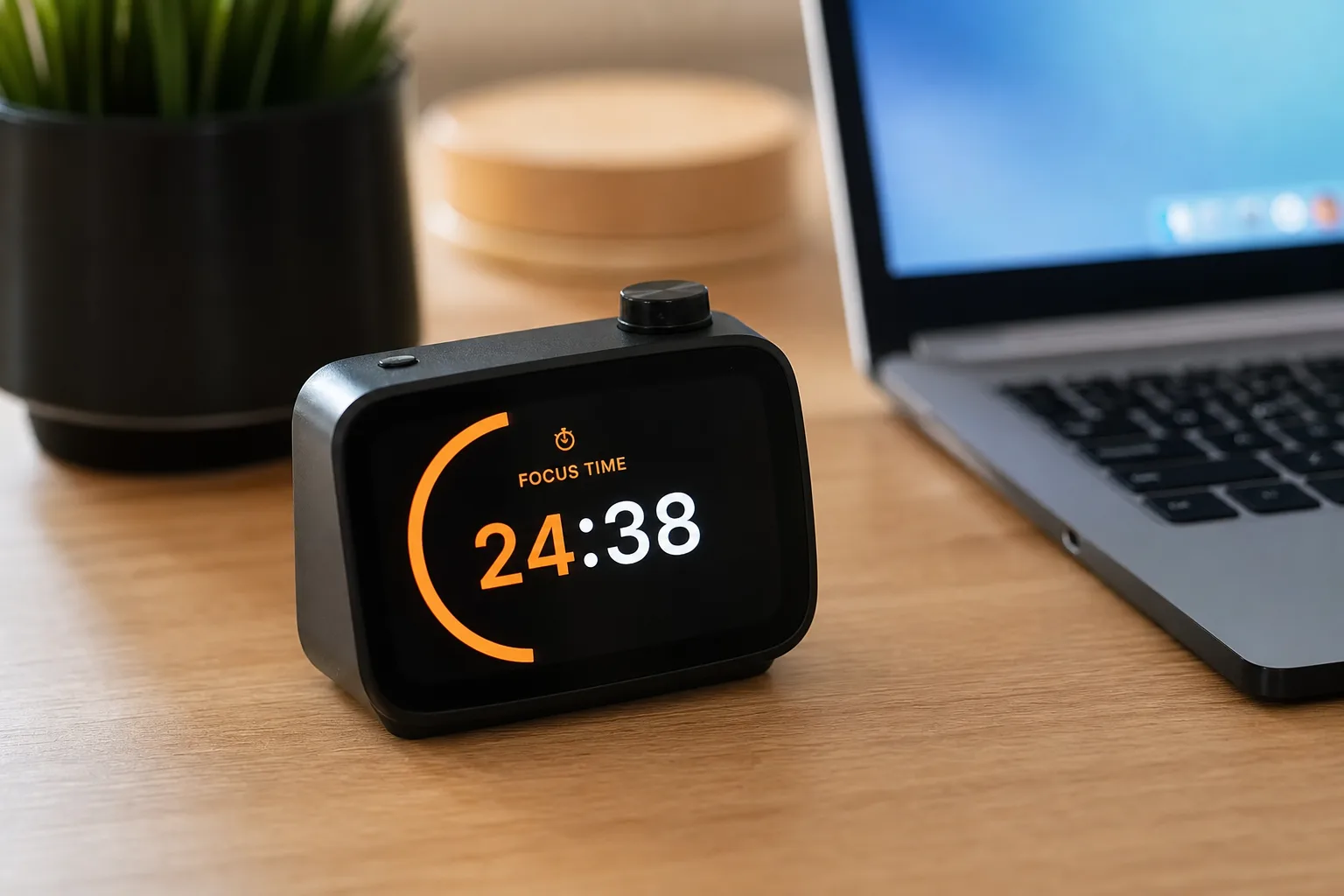
Flipper Devices has spent the last few years being primarily known as the company behind the Flipper Zero — a pocket-sized multi-radio tool that became something of a cult object among security researchers and hardware hobbyists. Now the London-based company is taking a sharp left turn. Its new product, the Busy Bar, isn’t aimed at hackers. It’s aimed at people who can’t stop getting distracted at their desks.
- The Busy Bar is Flipper Devices’ new $199 productivity display launching July 14 for the US, EU, UK, and Canada.
- Busy Bar features a 72×16 LED matrix display, 3250 mAh battery, Wi-Fi, Bluetooth, and Matter smart home certification.
- The first 3,000 buyers get the Busy Bar at an early-bird price of $199; after that it rises to $249.
- Open firmware and HTTP API, MQTT, and Python and TypeScript libraries let developers build custom widgets for the device.
Table of Contents
What Is the Busy Bar and Why Does It Exist?
At its core, the Busy Bar is a programmable LED desk display designed to tell the world — and yourself — what you’re doing right now. The concept is deceptively simple: a glowing, customizable status sign that sits on your desk and broadcasts your current state of focus, availability, or deep work. Think of it as the grown-up, hardware version of setting a Slack status, except it works in physical space too.
That pitch lands differently in 2025 than it might have in 2019. Remote and hybrid work has created a genuine etiquette problem in households: partners, kids, and housemates constantly interrupting someone mid-meeting or mid-focus sprint because they had no visible signal that now is a bad time. The Busy Bar is a direct answer to that friction. It doesn’t require anyone in your home to check an app — they can just look at the glowing bar on your desk.
Hardware Specs: More Than a Status Light
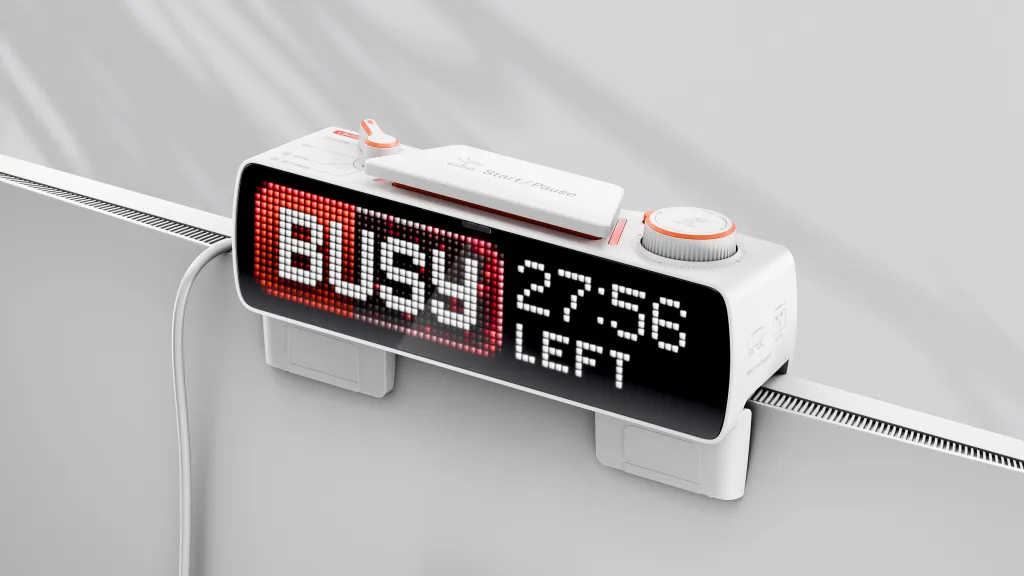
The Busy Bar looks a bit like a compact table clock, with a cluster of physical controls on top — a mode selector switch, a start/stop button, a status indicator, and a scroll wheel for navigating menus. That tactile interface matters. One of the frustrations with purely app-driven productivity tools is that activating a focus mode requires unlocking the very device you’re trying to avoid. The Busy Bar breaks that loop with hardware inputs you can trigger without touching your phone or laptop.
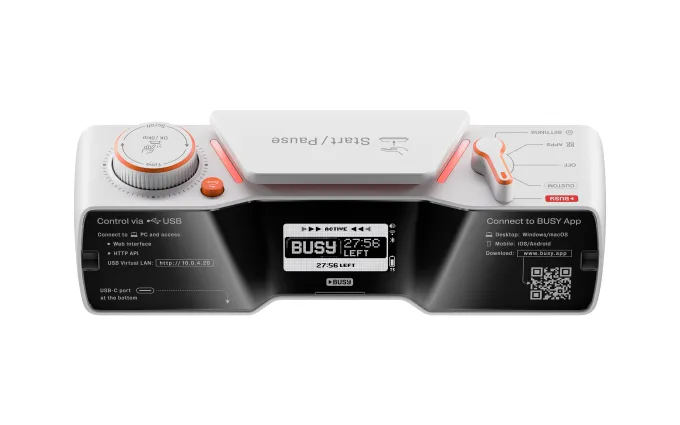
The front face hosts a 72×16 LED matrix display capable of up to 400 nits of brightness and support for 16 million colors, with an ambient light sensor that adjusts brightness automatically. That’s a proper display — not just a couple of colored LEDs. You can show text, icons, timers, and custom animations. The back of the device carries a secondary monochrome screen showing status, battery level, and connectivity, which means a quick glance from either side gives you useful information regardless of how it’s oriented on your desk.
There’s also a small speaker built into the side for custom sounds and notification alerts. The device connects via Wi-Fi, Bluetooth, or USB, and its 3250 mAh battery is rated for up to eight hours of active use or two weeks on standby. Flipper Devices says a 15W adapter brings it back to full charge in about an hour — genuinely useful if you forgot to plug it in overnight.
Busy Bar Software: Where the Real Value Sits
Hardware specs only tell half the story here. The Busy Bar ships with companion apps for iOS, Android, and macOS, with a Windows app described as ‘planned.’ On mobile, users can block specific apps during active timer sessions — a feature that puts it in direct competition with dedicated focus apps like Freedom or Opal, except the blocking is now physically triggered by a desk device rather than a tap on-screen. There’s something psychologically different about pressing a physical button to lock yourself out of Instagram.
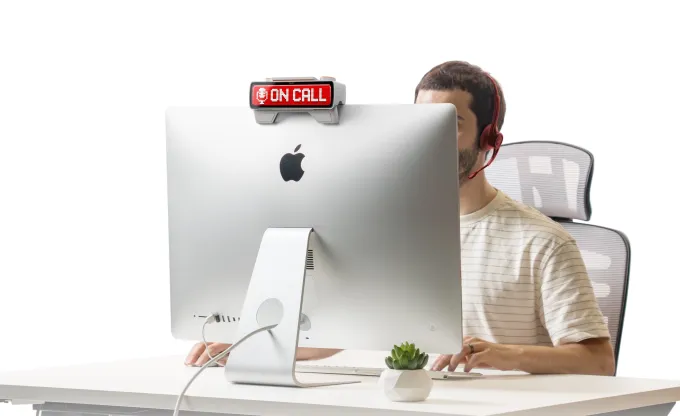
The macOS integration is arguably the most polished feature at launch. The app hooks into the system microphone, so when you join a video call, start recording, or go live for a stream, the Busy Bar automatically flips to an ‘on call’ status on its display and mutes notifications without you lifting a finger. For anyone who’s ever had a Slack ping blast through their speakers mid-client call, that’s a real quality-of-life improvement.
Pomodoro-style timers are built in natively, which will appeal to productivity enthusiasts who already structure their workday around the 25-minute focus / 5-minute break rhythm. Having a physical, visible countdown on your desk — rather than a tiny browser tab — adds a layer of commitment that software-only timers struggle to replicate.
Matter Certification Opens Up Smart Home Automation
Here’s where the Busy Bar goes from ‘nice desk gadget’ to something considerably more interesting for the smart home crowd. The device is Matter-certified, meaning it plays natively with Amazon Alexa, Apple Home, and Google Home ecosystems without requiring proprietary bridges or workarounds. Matter has been gaining steady traction as the universal smart home standard, and Flipper Devices is smart to bake it in from day one rather than retrofitting it later.
In practice, this means you can build automations around the Busy Bar’s status. Start a focus timer and have your smart lights shift to a warmer, lower intensity. End a Pomodoro session and trigger a brief lamp flash as a break reminder. Go into ‘on call’ mode and have your smart speaker automatically lower its volume. These aren’t hypothetical use cases — they’re the exact kind of automations that already exist in dedicated smart home setups, and the Busy Bar slots into them naturally.
Open Firmware and Developer APIs
Flipper Devices has a history of building for tinkerers, and that DNA shows up clearly in the Busy Bar’s developer story. The device ships with open firmware, and the company is providing an HTTP API, MQTT support, and official Python and TypeScript libraries for building custom widgets and display layouts. There’s also a cloud API for controlling the device remotely over the internet — useful for scenarios like triggering a display change via a webhook from your project management tool when a sprint ends.
This openness is a genuine differentiator. Most productivity hardware in this space — think smart desk accessories from companies like Elgato or the Luxafor flag — offer limited customization within closed ecosystems. By opening the firmware, Flipper Devices is essentially inviting a community to build the feature set they can’t ship themselves at launch. Given how quickly the Flipper Zero community generated third-party firmware and plugins, it’s a reasonable bet that the Busy Bar will attract a similar crowd of developers building integrations for tools like Notion, Linear, Spotify, or GitHub.
Pricing, Availability, and What Comes Next
The Busy Bar goes on sale July 14, shipping to the US, EU, UK, and Canada. The first 3,000 customers who join the waitlist on the Busy Bar website will pay $199; everyone after that pays $249. That’s not an impulse-buy price, but it’s not outrageous for a piece of hardware with this much going on under the hood — particularly when you consider the Matter integration, open firmware, and companion app suite are all included.
Flipper Devices also has accessories in the pipeline: wall mounts, screen protectors, and custom switches. Wall mounts in particular suggest the company sees this device living not just on desks but in office entryways, recording studios, or shared co-working spaces — anywhere a visible status indicator adds value beyond the individual user.
The broader trend here is worth watching. The productivity hardware market has historically been thin — dominated by mechanical keyboards and expensive monitors — but there’s a growing appetite for physical tools that sit at the intersection of focus, automation, and smart home integration. If Flipper Devices can build a community around the Busy Bar the way it did with the Flipper Zero, it won’t just be selling a desk accessory. It’ll be building a platform.
Frequently Asked Questions
What is the Busy Bar and what does it do?
The Busy Bar is a desk gadget from Flipper Devices that displays custom messages, timers, and status indicators on a 72×16 LED matrix. It supports Pomodoro-style focus timers, app blocking on iOS and Android, and automatic ‘on call’ status detection via macOS mic integration.
How much does the Busy Bar cost and when does it ship?
The first 3,000 customers can buy the Busy Bar for $199. After that, the price rises to $249. Shipping begins July 14 to the US, EU, UK, and Canada.
Does the Busy Bar work with smart home systems like Amazon Alexa or Apple Home?
Yes. The Busy Bar is Matter-certified, which means it integrates with Amazon, Apple, and Google smart home ecosystems. You can trigger smart home automations based on the device’s current status.
How long does the Busy Bar battery last?
Flipper Devices says the Busy Bar’s 3250 mAh battery delivers up to eight hours of active use and up to two weeks on standby. A 15W adapter can fully recharge it in about one hour.
Can developers customize the Busy Bar?
Yes. Flipper Devices has made the device suitable for developers with open firmware, along with an HTTP API, MQTT support, and official Python and TypeScript libraries. Developers can build custom widgets and automate the device via its cloud API.

