

Apple AI camera features have arrived — officially, deliberately, and with a set of guardrails that make clear Apple isn’t trying to be Google. At WWDC 2025, Apple’s iOS 27 reveal included a handful of generative photo tools tucked inside the Photos app, and the person who oversees the iPhone camera, Jon McCormack, was candid about what Apple is trying to do and, just as importantly, what it isn’t.
- Apple AI camera features in iOS 27 include Extend, Spatial Reframe, and an improved Clean Up tool powered by upgraded on-device AI models.
- Apple AI camera features are deliberately restricted — fake pixels stay in the background and can’t alter a subject’s face or be applied infinitely.
- Apple will integrate Google DeepMind’s SynthID technology to invisibly watermark AI-edited photos shared from the Photos app.
- Heavy users of the new generative tools will need an active iCloud subscription, though Apple hasn’t published exact daily usage limits.
Table of Contents
What the New Apple AI Camera Features Actually Do
Three tools are getting the spotlight. Clean Up — already available on current iPhones — gets a meaningful upgrade thanks to improved AI models, making it faster and more accurate at erasing unwanted objects from a scene. But the two genuinely new additions are Extend and Spatial Reframe.
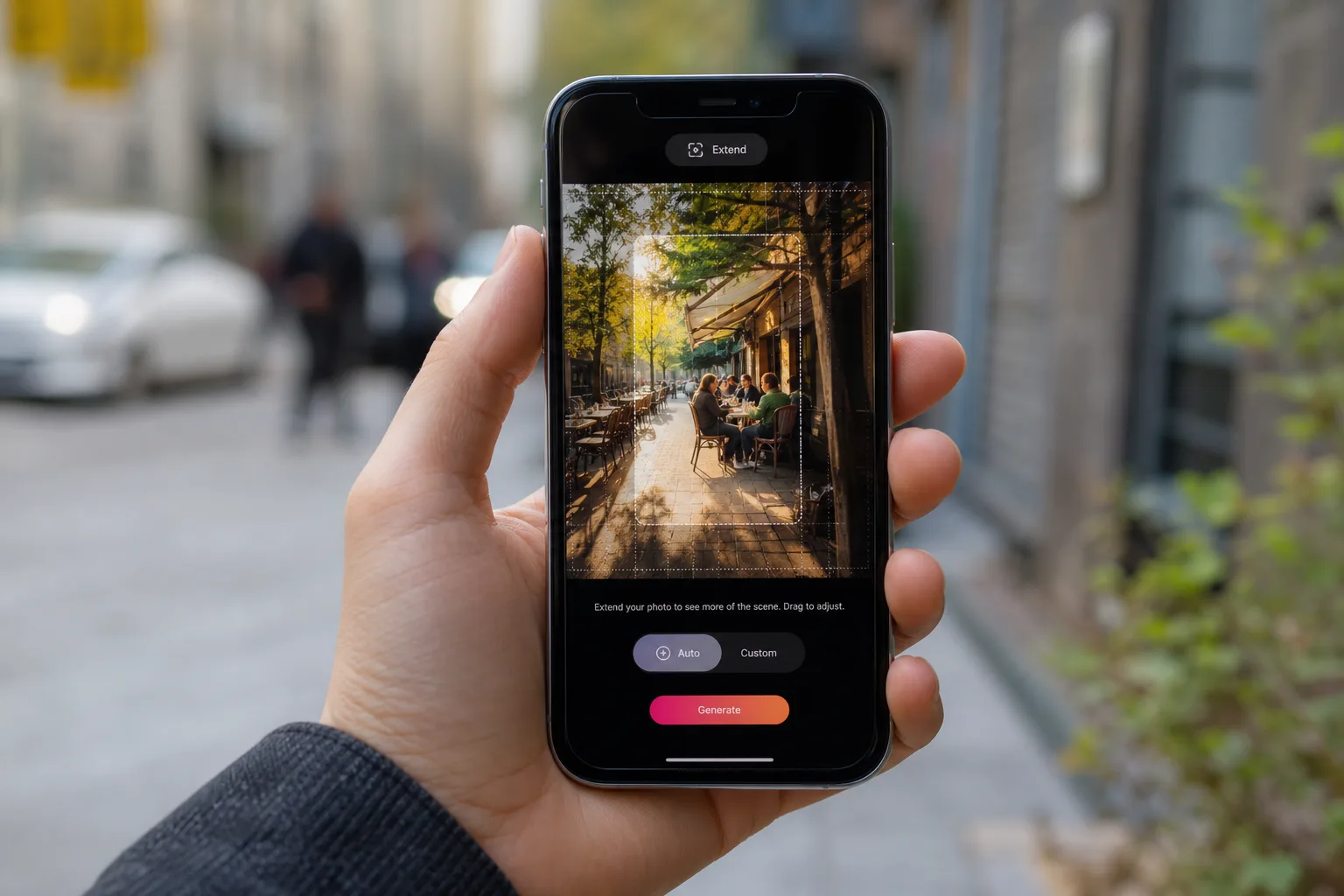
Extend does exactly what it sounds like: it expands the edges of your photo, generating new background content to fill the space your lens didn’t capture. Maybe you framed your subject a touch too tight, or your spouse got pushed to the very edge of the shot. Extend gives you breathing room. Spatial Reframe goes a step further, letting you shift the perspective of an image — useful for fixing those slightly-off angles that seemed fine at the time but look awkward in the camera roll.
Both of these Apple AI camera features are doing something that was, until very recently, the exclusive domain of professional editing software: synthesising pixels that didn’t exist in the original capture. The camera, as McCormack puts it, ‘thinks’ about what should be there and draws it in. That’s a remarkable sentence coming from the head of Apple’s camera division, and it signals just how thoroughly AI has embedded itself into the definition of a photograph.

Apple’s Philosophy: Solving Real Problems, Not Chasing Features
McCormack is careful to frame these Apple AI camera features as solutions to specific, real-world compositional problems rather than a flex of technical capability. He has reportedly said that tools like these give normal people absolute superpowers, removing the need to know the details of how to achieve something in Photoshop or other software. That’s a telling framing. Apple isn’t pitching these tools at power users who already know their way around Lightroom. It’s pitching them at everyone else — the billions of people who take photos on iPhones without any post-processing workflow at all.
There’s a real argument to be made here. The gap between what a casual photographer intends to capture and what they actually get has always existed. You didn’t notice the plastic bag rolling through the background. You shot slightly too high and cut off your kid’s feet. You were so focused on getting your subject in frame that the composition is a little claustrophobic. These aren’t creative choices — they’re accidents. And AI is now good enough to fix them invisibly.
But McCormack is also notably firm about what Apple won’t do. ‘We’re not doing AI for the sake of AI,’ he said. That’s a pointed remark in an industry where Google’s Pixel and Samsung’s Galaxy devices have been pushing generative photo editing into increasingly aggressive territory — erasing people, moving subjects around the frame, even synthesising entirely new objects. Apple AI camera features, at least officially, aren’t going there.
The Rules Apple Has Built Around Authenticity
The constraints Apple has placed on these Apple AI camera features are specific and worth spelling out. First, generated pixels are confined to the background. The Photos app will not alter the face or body of the primary subject in any image. With Clean Up, you can’t remove the main subject from the photo entirely — only incidental objects in the scene. Second, Extend is a one-shot operation. It expands the image by 25 percent, and that’s it. You can’t save, reopen, and keep extending infinitely. The feature has a hard ceiling baked in.
Della Huff, Apple’s product manager for Camera and Photos software, explained the thinking behind the AI model’s behaviour: ‘If you don’t need to create something there, then just don’t — do the minimum amount of hallucination to achieve the goal the user is asking the model to do.’ In practice, that means if you extend a street scene, the model won’t assume there’s a parked car just out of frame and conjure one. It fills space conservatively.
That said, there are edge cases. During testing of the iOS 27 developer beta, a journalist found that extending a café scene caused the model to generate additional tables and — crucially — fake people sitting at them. Huff’s defence is pragmatic: if the original scene has people in the background and the extension adds none, the result looks unnaturally empty. ‘If we said the rule is we could never generate a background human ever, then the feature would become less useful,’ she said. It’s a reasonable position, but it also illustrates how quickly ‘conservative’ Apple AI camera features can still produce images that never happened.
Apple AI Camera Features and the SynthID Watermark
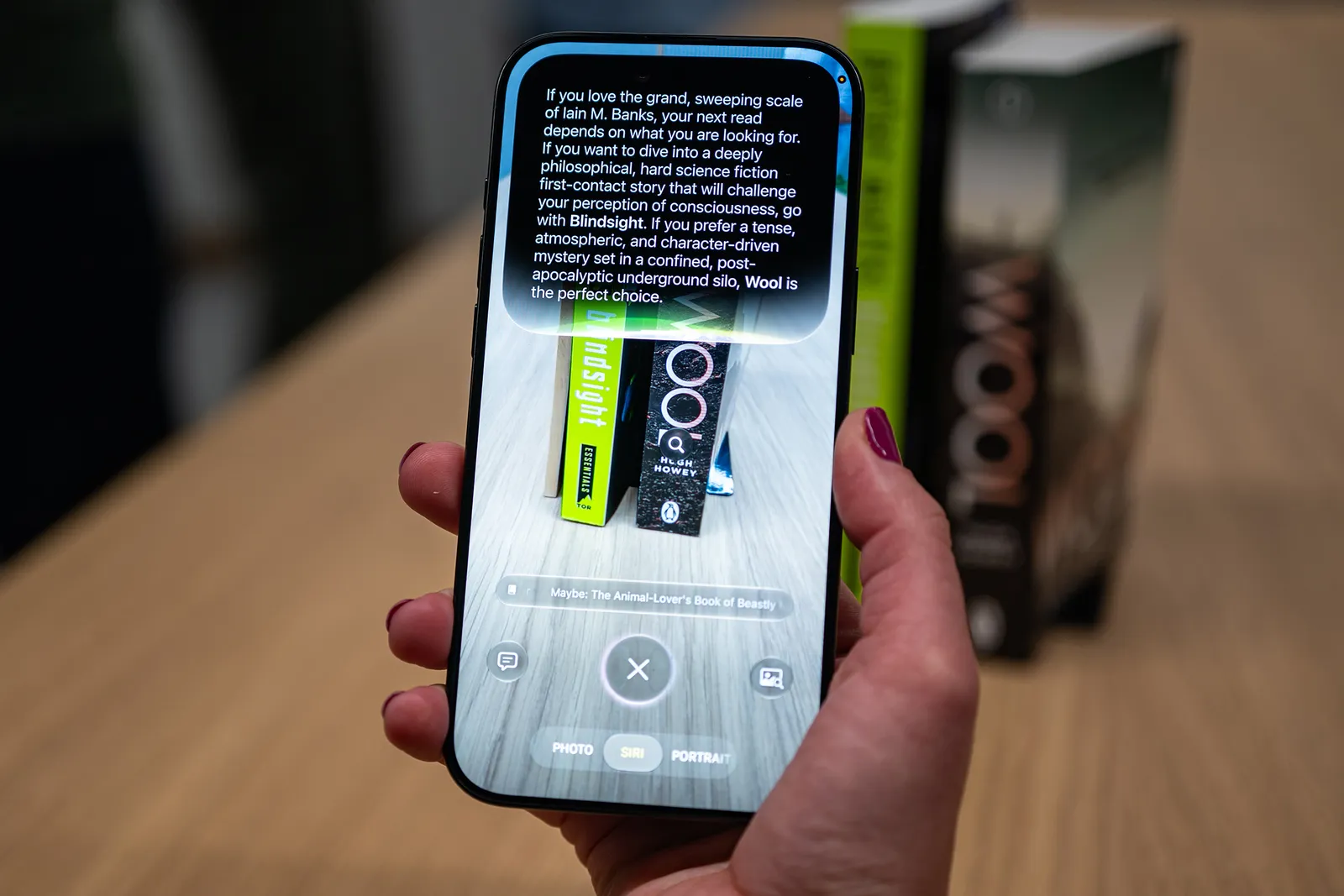
Later in 2025, Apple plans to integrate Google DeepMind’s SynthID technology into the Photos app. SynthID embeds an invisible, imperceptible watermark into AI-edited images — one that can be detected by compatible platforms to flag the photo as having been altered with generative AI. It’s a meaningful gesture toward transparency, particularly as AI-edited images proliferate across social media and news feeds.
The caveat is worth stating plainly: digital watermarks are not a solved problem. Academic researchers have repeatedly demonstrated that SynthID and similar systems can be defeated through relatively straightforward image manipulation — cropping, compression, colour adjustments. Apple is adopting a best-available standard, but it’s not a guarantee. Anyone relying on watermarks alone to authenticate photographs is going to be disappointed sooner or later.
McCormack’s broader statement on photography and memory is genuinely interesting coming from a technology executive: ‘A photograph is of something that actually happened. We really do believe in this idea of authentic journalism to your own life — when you’re capturing photographs, you’re making these memories, you’re putting moments of your life in a bottle that you can go back to.’ It’s a philosophical position that puts Apple AI camera features at odds with a chunk of the industry. Google’s approach, by contrast, has historically leaned toward letting you edit photos to match how you remember a moment — the sky was bluer in your mind, so go ahead and make it bluer. Apple is drawing a harder line: clean up the accidents, but don’t rewrite history.
The iCloud Paywall and the Natural Language Gap
There are two threads worth pulling on that didn’t get as much attention during the WWDC keynote. The first is the usage limits. Apple has confirmed that heavy use of Extend, Spatial Reframe, and Clean Up will require an active iCloud subscription. The exact daily caps haven’t been published, which means users will presumably discover them through hitting the limit rather than reading about it in advance. Tying Apple AI camera features to a subscription tier is a logical monetisation move, but it’s also a quiet reminder that ‘free’ AI on your device often isn’t.
The second thread is more telling about where Apple’s AI ambitions currently sit. One of the headline themes of WWDC 2025 was natural language interaction — Siri understanding conversational requests, Calendar creating events from a description, Shortcuts being built by describing what you want in plain English. It’s a coherent vision of software that responds to intent rather than explicit commands. And yet, the Photos app still doesn’t let you edit images using natural language. You can’t say ‘remove the person in the background and add a bit more sky on the left’ and have it happen. Google Photos has offered exactly that feature since last year.
Apple’s answer, implicitly, seems to be that natural language photo editing crosses a line they’re not ready to cross — or at least not ready to ship. Whether that’s a principled stance on authenticity or a product gap that iOS 28 quietly closes remains to be seen. Either way, the Apple AI camera features arriving this year represent a real, considered step forward — just one with the guardrails left firmly on.

Frequently Asked Questions
What are the new Apple AI camera features coming in iOS 27?
iOS 27 introduces three key AI camera features: an improved Clean Up tool for erasing unwanted objects, Extend for expanding the edges of a photo by 25 percent, and Spatial Reframe for adjusting perspective. All generate new pixels using Apple’s AI models.
How does Apple’s Extend feature work, and what are its limits?
Extend expands the borders of a photo by 25 percent, filling in surroundings the camera didn’t originally capture. It’s a one-time operation — you can’t repeatedly extend the same image. The generated content is restricted to background areas and won’t alter the main subject.
Will Apple use SynthID to watermark AI-edited photos?
Yes. Apple plans to integrate Google DeepMind’s SynthID technology later this year to embed invisible watermarks in photos edited with generative AI tools. Platforms where users share those images may then flag them as AI-altered, though researchers have noted digital watermarks aren’t completely tamper-proof.
Do the new iOS 27 AI photo tools require an iCloud subscription?
Apple has confirmed that using Extend, Spatial Reframe, and Clean Up multiple times a day will require an active iCloud subscription. Exact daily usage limits haven’t been disclosed publicly.

