

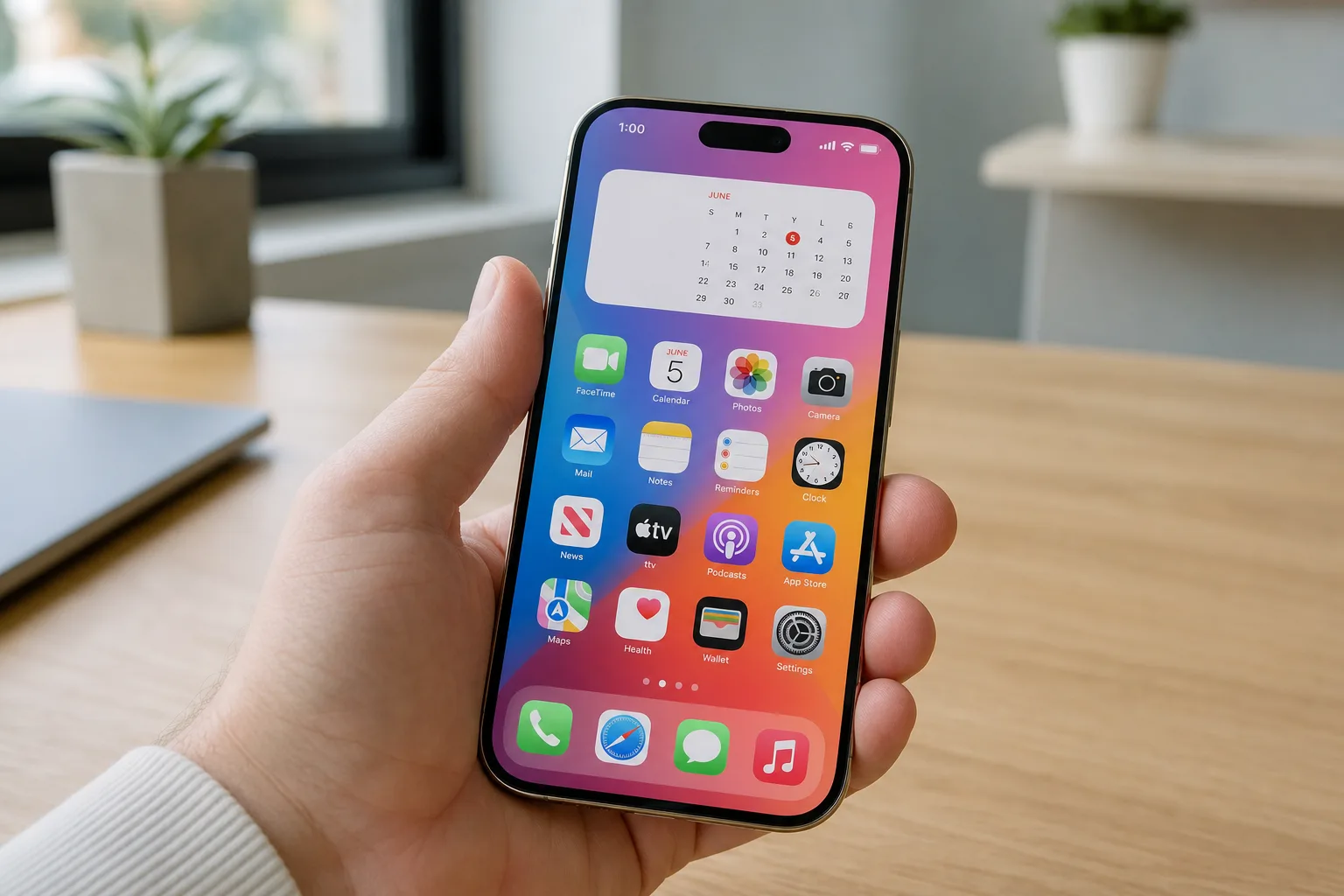
Every year at WWDC, Apple saves its biggest announcements for the main stage — and every year, the real quality-of-life improvements get buried in the release notes. iOS 27 features are no exception. While the Siri AI overhaul pulled all the oxygen out of the room during this year’s keynote, a quietly solid batch of changes is making its way to iPhones that most users won’t even hear about until they stumble across them by accident.
- Several iOS 27 features went completely unmentioned at WWDC, yet they address long-standing iPhone frustrations worth knowing about.
- iOS 27 features include full-screen home screen widgets, granular volume controls, and a redesigned Weather app highlights section.
- Apple is giving the Messages app new drawing tools and greater control over which buttons appear on the keyboard.
- Find My gets a privacy-first update letting you hide your location from specific people for a set time, silently.
Table of Contents
iOS 27 Features That Deserve the Spotlight
Let’s be honest: Apple’s keynotes are product theatre. The company knows exactly which announcements will dominate headlines and social feeds, and it stacks those at the front. Everything else — the stuff that actually makes your phone less annoying to use every day — quietly ships in the release notes. This year, the new Siri powered by a significantly upgraded on-device AI model was clearly the marquee iOS 27 feature. But scratch the surface and there’s a lot more going on.
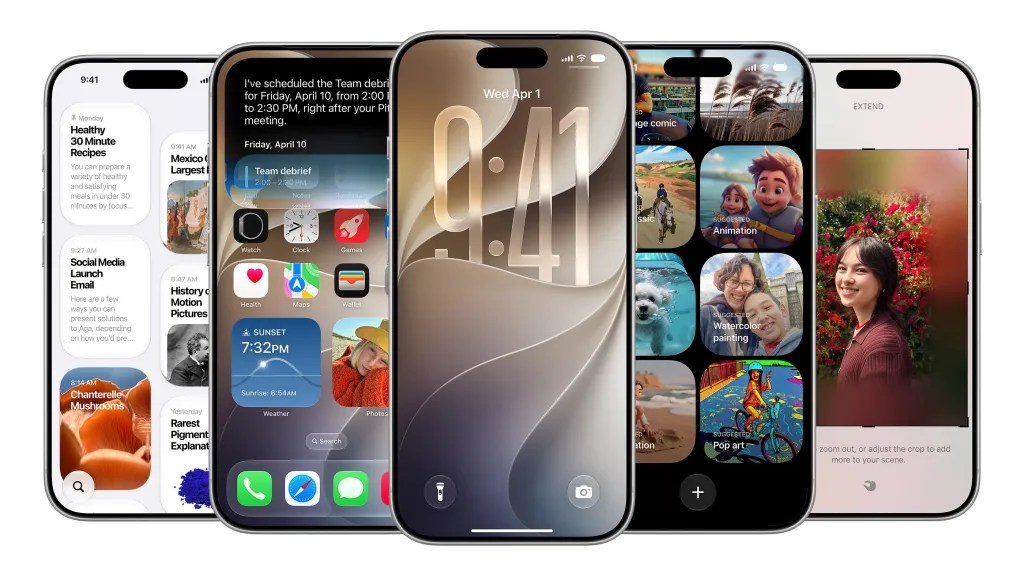
Take full-screen widgets on the home screen. Android users have had this for years, and it’s been one of the more conspicuous gaps in iOS’s flexibility. With iOS 27, you can finally dedicate an entire home screen panel to a single widget — think a full-screen calendar view or a live news feed without needing to squint at a small tile. It sounds minor. In practice, for anyone who uses their phone as a quick-glance dashboard, it changes the rhythm of how you start your morning.
The volume control update is similarly overdue. Right now, your alarm volume is tied to your ringer, which means anyone who keeps their phone on silent gets a nasty surprise when an alarm doesn’t go off. iOS 27 fixes this properly. Head to Settings > Sounds & Haptics, turn off the ‘Match Ringtone Volume’ toggle, and you’ll find individual sliders for alarms, timers, alerts, and system sounds. Apple’s support documentation has historically bundled these together, so splitting them out is a meaningful change for anyone with a more deliberate approach to sound management.
Smarter Clipboard, Smarter Keyboard
One of the more elegant iOS 27 features is how it handles clipboard content in the keyboard. When you’ve got text or a screenshot sitting in your clipboard, you’ll now see a direct paste option surface above the keyboard automatically — the same mechanism that already pops up for one-time passcodes arriving via Messages. It’s a small interaction design win that removes a step most people don’t realise they’re taking dozens of times a day. Cross-app copy-and-paste on iOS has always been functional, but never particularly fluid. This nudges it closer to feeling natural.
The Messages app is getting genuine new functionality too. There’s a Drawing mode now, letting you sketch out a diagram, a quick map, or a doodle and send it directly in a conversation. It’s the kind of feature that sounds gimmicky until the first time someone needs to explain directions to a parking lot at 11pm. More practically for most people, you can now choose to show a voice recording button, a dictation button, or neither on the Messages keyboard — a welcome concession to the fact that not everyone wants Apple deciding which input method is most prominent.
Weather, Camera, and the Apps You Actually Use Daily
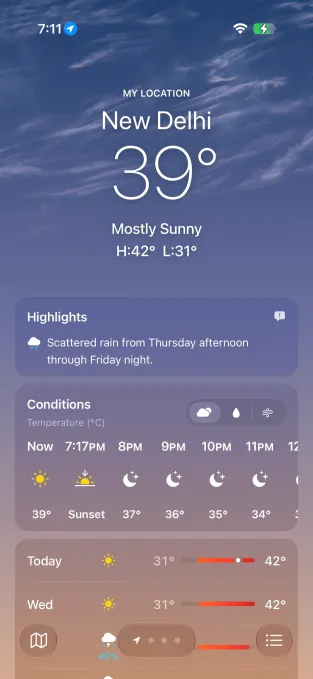
The Weather app redesign is understated but good. A new ‘Highlights’ section surfaces notable events coming up in the next few days — a cold snap, a storm front, an unusually warm stretch — rather than making you read a 10-day grid and draw your own conclusions. The app also now makes it easy to flip between Conditions, Precipitation, and Wind views without digging through menus. Given that Apple acquired Dark Sky back in 2020 and integrated its data engine, it’s taken a while for the app interface to catch up to what the underlying data could support.
Camera controls are getting an overhaul as well, with quicker access to depth adjustment, grid overlay, and level indicators. These were buried before — you had to know where to look. Surfacing them more prominently is a clear response to how much casual photography happens on iPhones. The iOS 27 features in the Camera app won’t convert anyone who’s happy with point-and-shoot defaults, but for people who’ve already trained themselves on the current layout, it’ll take a week to unlearn the muscle memory.

Privacy, Wallet, and the Features You Didn’t Know You Needed
The Find My update is quietly one of the most significant iOS 27 features from a privacy standpoint. You can now hide your location from a specific person for a set amount of time — without triggering any notification to them. That’s a careful design choice. Whether it’s avoiding an awkward ‘where are you?’ conversation during a surprise party setup or something more sensitive, the ability to go temporarily invisible to one contact without going fully off-grid is more useful than it sounds. It’s the kind of feature that gets buried in a list but that some people will find essential from day one.
The Wallet app is getting a custom pass creator, which opens up practical uses that Apple Pay and digital cards don’t cover — loyalty schemes, event tickets from smaller venues, or personal use cases like a digital business card stored locally. CarPlay, meanwhile, is finally getting audio scrubbing, a feature so basic its absence was genuinely baffling. Being able to drag a progress bar on audio while driving has been standard on every other platform for a decade. Better late than never.
Calendar now detects holidays and will ask whether you still want to keep any alarms scheduled for those days — a small but thoughtful quality-of-life touch. And iOS 27 finally adds manual iCloud sync for files, photos, and health data, giving users more deliberate control over what goes up and when, rather than leaving it entirely to Apple’s background sync logic.
What These Updates Say About Where Apple Is Headed
Individually, most of these iOS 27 features are small. Collectively, they tell a story. Apple is filling in gaps that have persisted across multiple iOS generations — things Android has had, things users have requested on forums for years, things that should have shipped sooner. The emoji keyboard scroll bar and the Timer slider redesign in Control Center are almost comically minor, but they’re signals of a broader sweep through the OS to smooth out friction points that accumulated quietly over time.
The bigger picture here is that iOS has reached a level of maturity where the dramatic reinventions are rare, and the real value is in the accumulation of small improvements. Apple knows this. The company is clearly betting that Siri’s AI evolution will carry the narrative while engineers quietly sand down the rough edges everywhere else. For most users, that’s a better deal than another visual overhaul. The question is whether these iOS 27 features — the ones that never made the stage — will get discovered at all, or whether they’ll sit unused until someone posts a TikTok about them six months after launch.
Frequently Asked Questions
What are the best iOS 27 features Apple didn’t announce at WWDC?
The most useful unannounced iOS 27 features include full-screen home screen widgets, separate volume sliders for alarms and system sounds, a clipboard paste shortcut on the keyboard, and the ability to hide your location in Find My from specific contacts without alerting them.
Can you set different volume levels for alarms and ringtones in iOS 27?
Yes. iOS 27 lets you separate alarm, timer, alert, and system sound volumes. You’ll need to go to Settings > Sounds & Haptics, disable the ‘Match Ringtone Volume’ toggle, then adjust each slider individually.
Does iOS 27 let you hide your location in Find My?
It does. iOS 27 adds an option in Find My to hide your location from a specific person for a defined period of time, without sending them any notification. It’s a quiet but meaningful privacy addition.
What changes is Apple making to the Messages app in iOS 27?
iOS 27 adds a Drawing option to Messages so you can sketch and send diagrams or notes. You can also now choose whether to show a voice recording button, a dictation button, or neither on the Messages keyboard.

