

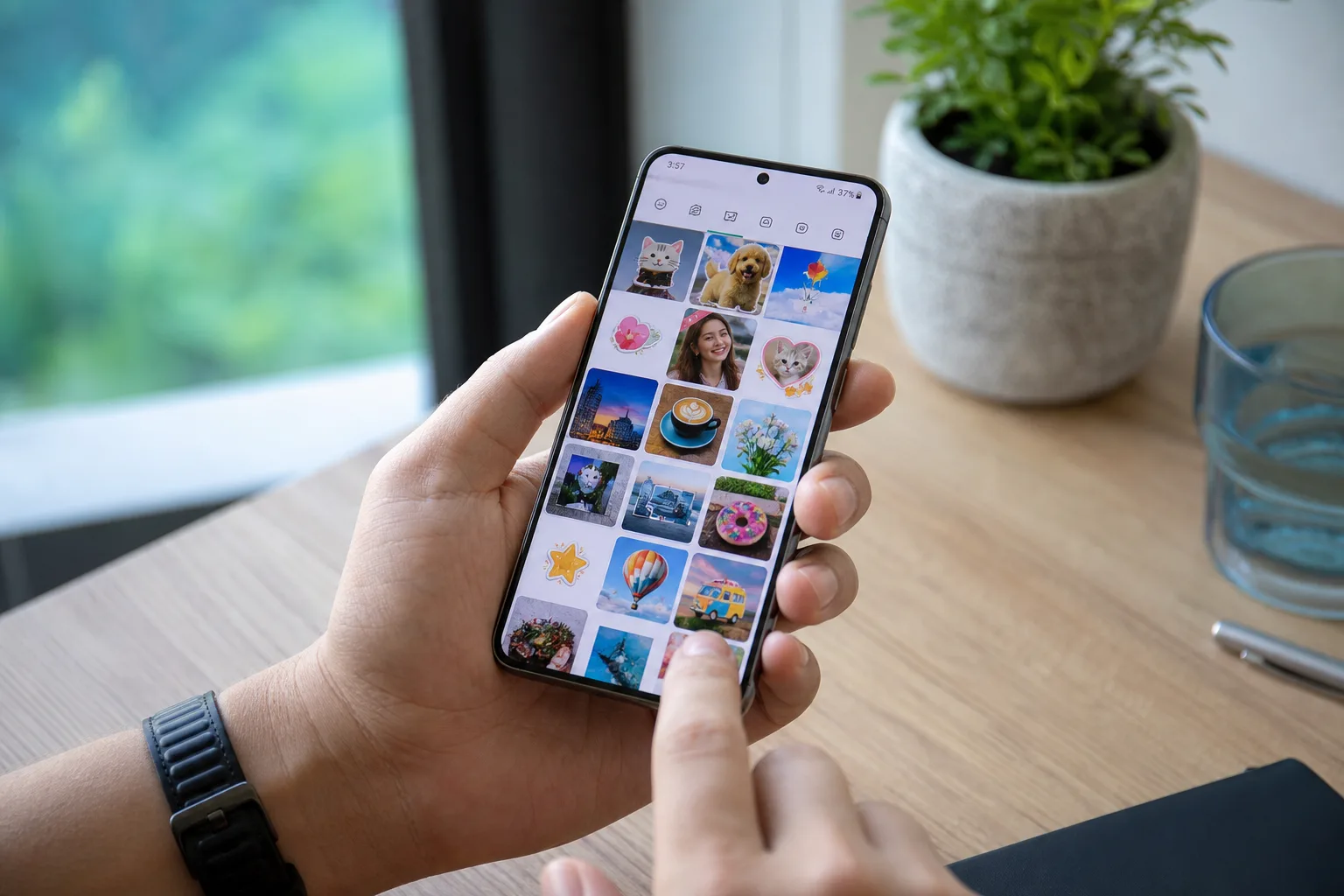
- The Google Photos stickers folder is now rolling out on Android, roughly six months after iOS users first got it.
- Android users can now save and reuse custom stickers via the Google Photos stickers folder inside the Collections tab.
- The rollout is gradual — even devices running version 7.78 may not see the feature yet.
- Google has a pattern of giving iOS users features first, and this case is a particularly long wait for Android.
Table of Contents
Google Photos Stickers Folder Finally Arrives on Android
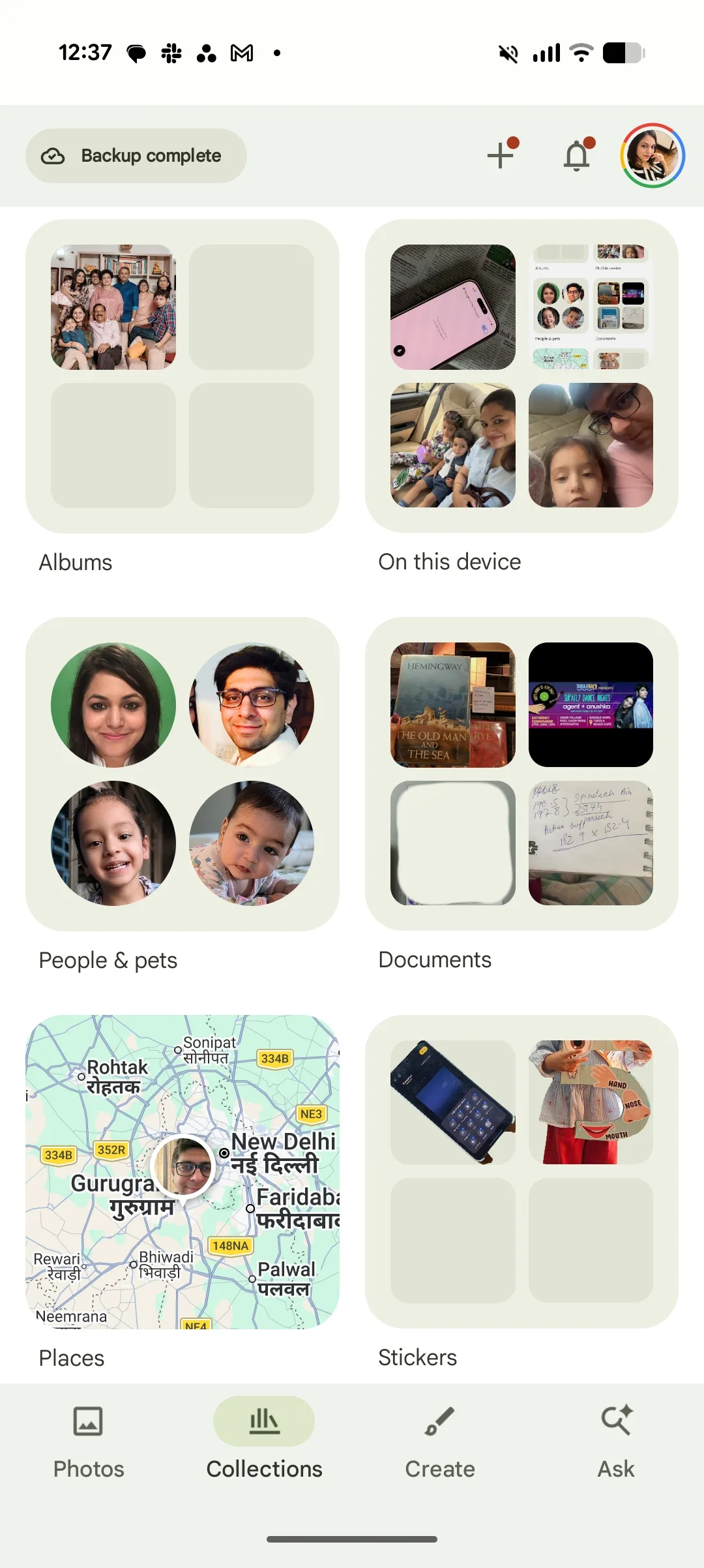
If you’ve been using the Google Photos stickers folder on an iPhone, you might have forgotten it wasn’t available on Android at all. Well, Android users are finally joining the party — though at this point, iOS users have had nearly half a year’s head start. Google is rolling out the dedicated Stickers section inside the Collections tab in Google Photos for Android, starting with version 7.78 of the app.
The feature itself is straightforward: any custom sticker you create from your photos gets automatically saved into this dedicated folder, so you can pull it up and reuse it whenever you want. Before this, Android users who made a sticker for a specific message had no convenient way to find it again. You’d essentially have to remake it from scratch. That’s a small but genuinely annoying friction point — the kind that makes a feature feel half-finished — and Google has now patched it up.
What the Stickers Feature Actually Does
Google Photos has let users create custom stickers from their own photos for a while now. The idea is simple: you pick a photo, isolate a subject — say, your dog or a friend’s face — and turn it into a sticker you can drop into messages or other apps. It’s a fun, personal touch that leans into the camera roll as a creative resource rather than just an archive.
What was missing on Android was any kind of persistent library for those stickers. On iOS, the Google Photos Collections tab already had a dedicated Stickers category, making it easy to browse and reuse previous creations. On Android, that organisation simply didn’t exist. Every sticker you made lived somewhere in the ether — technically accessible, practically inconvenient.
Now that the Google Photos stickers folder has made the jump to Android, the experience is properly unified. Stickers are created, saved, and catalogued in one place. You browse, you tap, you send. It’s the kind of quality-of-life addition that doesn’t generate headlines on its own, but makes a real difference to anyone who actually uses the feature regularly.
The iOS-First Problem Isn’t Going Away
Here’s the part that’s hard to ignore: this is Google’s own app, running on Google’s own mobile platform, and Android users waited six months to get a feature that iPhone users had from the start. That’s not a one-off — it’s a pattern.
There’s a well-documented history of Google shipping features to iOS before Android. Google Maps has done it. Gmail has done it. Google Photos has done it repeatedly. The reasoning, when Google has explained it at all, tends to revolve around iOS user engagement metrics and the relatively controlled testing environment Apple’s platform offers. But for Android loyalists — especially those on non-Pixel hardware — it can feel like a running joke.
What makes this particular case sting a little more is the context. Android is Google’s platform. Google Photos is Google’s app. The Stickers feature in Google Photos isn’t some experimental AI capability requiring custom silicon — it’s a folder. A way to organise things you’ve already made. The gap between “feature ships on iOS” and “feature ships on Android” being six months for something this simple is hard to defend.
That said, some of this delay likely comes down to how Google structures its engineering teams. iOS and Android codebases aren’t just two versions of the same thing — they’re often maintained by different teams working on different schedules. A feature that’s ready on one platform may be weeks or months behind on the other simply due to resource allocation, not intent. It doesn’t make the delay less frustrating, but it does make it less conspiratorial than it might look.
Who Has It Right Now — and Who Doesn’t
The rollout is server-side and gradual, which is Google’s standard approach for most Google Photos updates. That means even if you’ve got version 7.78 installed, you might open the Collections tab and see nothing new. Early reports confirm that the Google Photos stickers folder is already appearing on at least some Pixel devices — specifically noted on the Pixel 10 Pro XL — while other handsets like Samsung’s Galaxy S25 FE are still waiting.
That’s a common pattern too. Pixel phones tend to get Google’s software updates first, which makes sense given that Google controls the full stack on its own hardware. For everyone else — the Samsung users, the OnePlus users, the Xiaomi users — it’s a waiting game. If you want to speed things along, updating Google Photos to the latest version via the Play Store is your best first step. After that, it’s down to Google’s rollout schedule.
If the feature still hasn’t shown up after updating, you’re not doing anything wrong. It’ll arrive. Just not necessarily today.
A Small Feature With a Bigger Signal
The Google Photos stickers folder is, on its own, a modest addition. It’s not the kind of thing that shifts how people think about the app. But it does represent something worth watching: Google is actively closing the feature gap between its iOS and Android apps, and it’s doing so more visibly than it used to.
For years, the assumption was that Google’s Android apps were the definitive versions — more feature-rich, more tightly integrated, more regularly updated. That assumption has eroded. Google has effectively acknowledged that iOS is too big a platform to treat as secondary, and the result is a development process that sometimes runs in the opposite direction to what you’d expect.
Whether Google ever manages to ship simultaneously across both platforms — or whether the iOS-first pattern becomes the new normal — will say a lot about where the company’s priorities actually sit. For now, Android’s Google Photos is at least pulling level. That’s something. Whether it’s enough depends on how long the next feature takes to cross over.

