

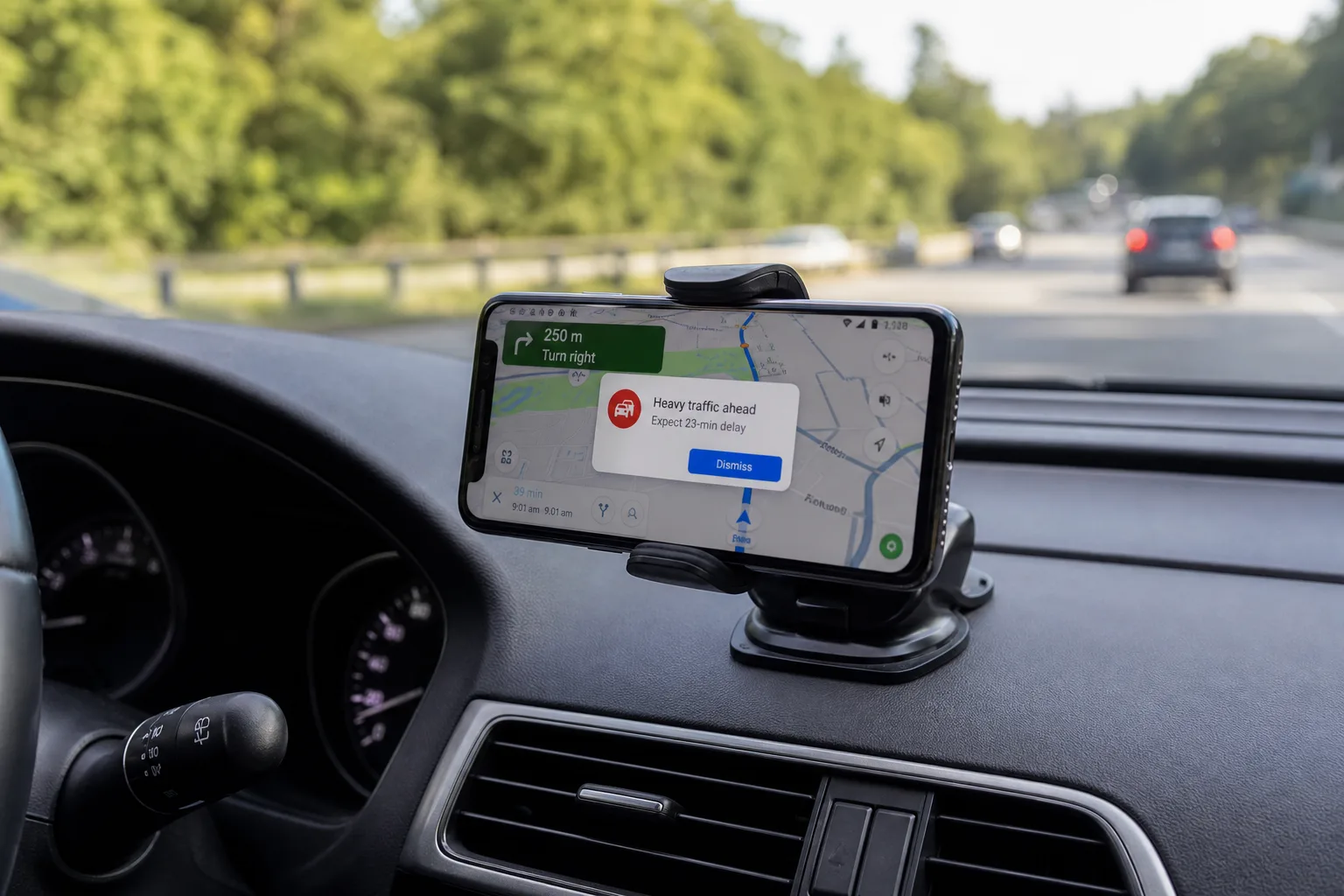
Waze World Cup alerts are landing on drivers’ screens across the US and beyond — popping up mid-navigation with live match scores in the same spot you’d normally see a warning about a pothole or a speed trap. It’s a feature nobody asked for, it’s on by default, and at least in some cases, it’s appearing while cars are actually moving.
- Waze World Cup alerts are showing live match scores as pop-ups while drivers are actively navigating, raising safety concerns.
- The Waze World Cup alerts feature is enabled by default and mimics the same format as road hazard warnings.
- Drivers can disable the alerts via Settings, Alerts and reports, Reports, then toggling off Live Matches.
- The turn-off setting isn’t visible for all users yet, suggesting the feature hasn’t fully rolled out globally.
Table of Contents
What Waze Is Actually Doing Here
Waze has quietly rolled out a feature that pushes live World Cup updates — goals, match endings, and related events — as in-app notifications while you’re navigating. Waze World Cup alerts appear in the same visual format as Waze’s standard road hazard warnings: a brief pop-up in your navigation view showing the teams playing and a short description of what just happened.
One driver noticed the alerts appearing on Apple CarPlay, with a screenshot shared to Reddit by user u/yayoshorti showing a World Cup score notification sitting right where you’d expect to see a traffic incident. Another user reportedly received a customised alert tied to a specific team they follow — suggesting Waze may be trying to personalise these, not just broadcast them to everyone.
On the surface, the concept isn’t entirely absurd. Sports fans who commute during matches might genuinely appreciate a quick goal notification. But the execution raises some real questions — particularly around when and how these alerts appear.
The Safety Problem Nobody Should Gloss Over
Here’s where it gets uncomfortable. Waze World Cup alerts are, according to what the company appears to have intended, supposed to trigger only when the vehicle is stationary. That’s a reasonable guardrail — same logic that restricts certain CarPlay interactions while moving.
Except that’s not what’s actually happening. Screenshots from real users clearly show Waze World Cup alerts appearing during active driving. That’s not a minor bug — that’s a navigation app injecting non-navigation content into a driver’s field of view at exactly the moment their full attention should be on the road.
It’s worth putting this in context. Distracted driving remains one of the leading causes of road accidents globally. The US National Highway Traffic Safety Administration consistently flags in-vehicle distractions — including those from connected apps and infotainment systems — as a significant risk factor. Navigation apps like Waze already walk a fine line between useful at-a-glance information and attention-stealing clutter. Adding live sports scores to that mix, and apparently doing so unreliably, tips that balance in the wrong direction.
What makes it worse is the presentation. Waze World Cup alerts are styled to look almost identical to hazard warnings. A driver catching something in their peripheral vision might instinctively glance over, expecting road information, only to be greeted by a football score. That’s a design choice that deserves scrutiny.
How to Turn Off Waze World Cup Alerts
The good news: you can disable Waze World Cup alerts, and the process is relatively straightforward — assuming the setting has rolled out to your device. Here’s how to do it:
- Open the Waze app and tap your profile icon to access the main menu.
- Go to Settings.
- Select Alerts and reports.
- Tap Reports.
- Toggle off Live Matches.
Google has documented this option on a Waze support page, which at least confirms this is an intentional feature rather than some rogue A/B test gone wrong. However — and this is the catch — multiple users on both Android and iPhone have reported that the ‘Live Matches’ toggle simply doesn’t appear in their settings at all. That suggests either a staged rollout that hasn’t reached everyone yet, or possibly that Waze has started quietly pulling back the feature in response to the backlash.
If you can’t find the setting, there isn’t much you can do right now short of muting Waze notifications at the system level, which would also cut out the navigation audio you actually want.
A Pattern Worth Watching at Waze
This isn’t the first time Waze has tested the waters with features that feel tangential to its core job of getting you from A to B without incident. The app has been expanding its feature set steadily — it recently added traffic light indicators along routes and rolled out speed bump and speed limit warnings. Those additions make sense; they’re directly relevant to the driving experience.
Sports score notifications are a different category entirely. They’re a content play, not a navigation enhancement. And they point to something broader happening at Waze under Google’s ownership: the app is being nudged toward being a more ‘sticky’ product — something you’re engaged with, not just something you use to get somewhere.
That’s a tension other navigation and mapping products have wrestled with too. Google Maps itself has experimented with discovery features, restaurant recommendations, and event listings — all useful in their own context, but all things that could tip a navigation tool into something noisier and less focused than drivers need it to be.
Waze’s community-driven model, where users report hazards, police presence, and road conditions in real time, has always been its biggest differentiator. The app’s power comes from the signal-to-noise ratio being high enough that you trust the information it surfaces. Waze World Cup alerts — unsolicited, styled like hazard warnings, appearing while people are driving — risk eroding exactly the kind of trust that makes Waze worth using in the first place.
What Waze Should Do Next
The most obvious fix is the one Waze should have started with: make this opt-in, not opt-out. Defaulting the feature to ‘on’ for every user, without any announcement or in-app explanation, is the kind of decision that generates Reddit complaints and tech news coverage instead of the goodwill the company was presumably hoping for.
There’s also a real argument that Waze World Cup alerts, if they’re going to exist at all, should only ever appear when the app detects the vehicle is stopped — and that detection needs to be reliable, not aspirational. The current situation, where the company says it’s stationary-only but users are seeing it mid-journey, suggests either the detection logic is broken or the rollout wasn’t properly tested.
With the World Cup still ongoing, Waze has a narrow window to either fix this cleanly or quietly shelve it. Given the reaction so far, the smarter move is probably to make the ‘Live Matches’ setting universally visible, default it to off, and let the fans who actually want this feature seek it out. That’s how you add a sports feature without turning your navigation app into a distraction.

