

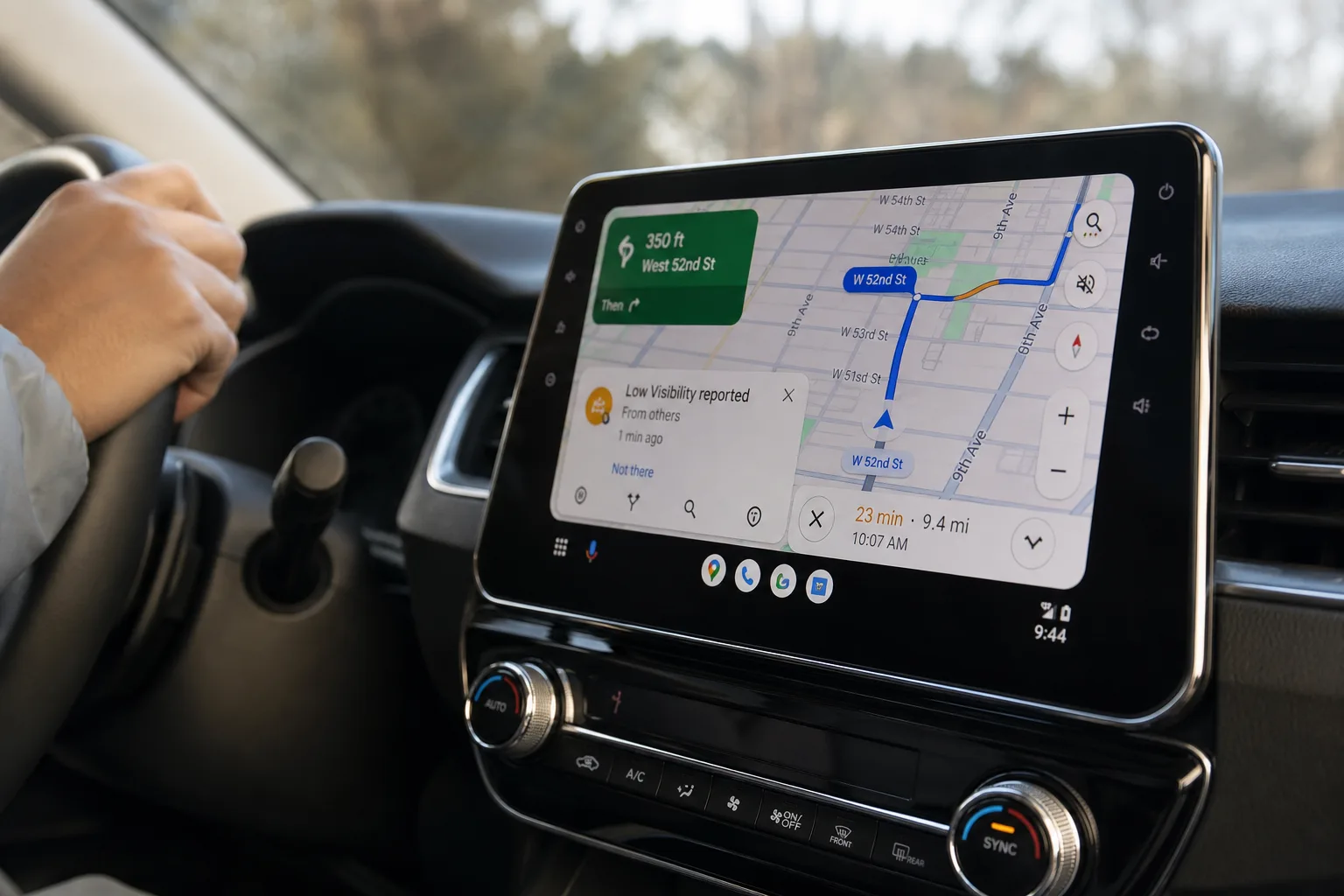
Google is finally fixing one of the more quietly frustrating parts of driving with Android Auto. The company is rolling out a redesign of Android Auto Maps alerts — specifically the incident report pop-ups that have been appearing on Google Maps since 2024 — and the change is exactly the kind of thoughtful, low-drama improvement that actually makes a difference on the road.
- Android Auto Maps alerts have been redesigned so they no longer replace your turn-by-turn directions or ETA while driving.
- The new Android Auto Maps alerts pop up briefly over the ETA area, then disappear after a few seconds without shifting any core UI elements.
- Google first brought Waze-style incident reporting to Google Maps in 2024, but the original alert design drew criticism for being distracting.
- The update appears to be rolling out now, though Google hasn’t officially confirmed which app version triggered the change.
Table of Contents
What Was Wrong With the Old Design
If you’ve used Google Maps on Android Auto in the past year or two, you probably already know the problem. An incident alert would appear — a pothole reported ahead, a hazard on the road, a speed camera — and the entire bottom portion of the navigation interface would shift. Your written turn instructions and your ETA would temporarily vanish, replaced by the alert overlay. You either had to tap Yes or No to dismiss it, or just wait it out for several seconds while your directions disappeared mid-approach to a junction.
That’s a real usability problem in a context where even a second of confusion can matter. The whole point of a heads-up display in a car is to reduce the cognitive load on the driver, not add to it. Several Android Auto users flagged this issue publicly, and a 2025 reader poll by 9to5Google found that while some users were fine with the existing design, the majority found it at least somewhat distracting. For a feature that’s supposed to make driving safer, that’s a significant design failure.
How the Redesigned Android Auto Maps Alerts Work
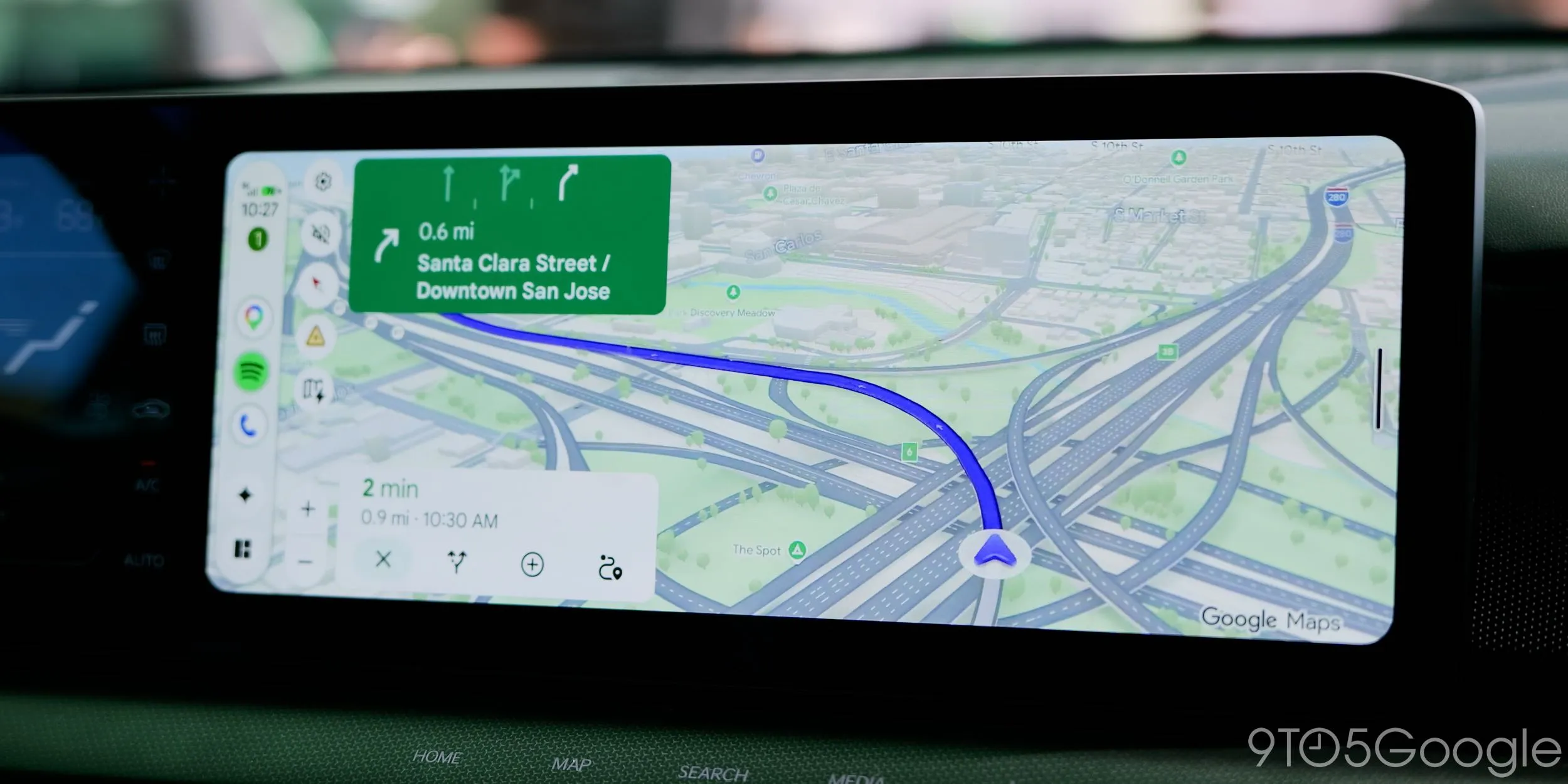
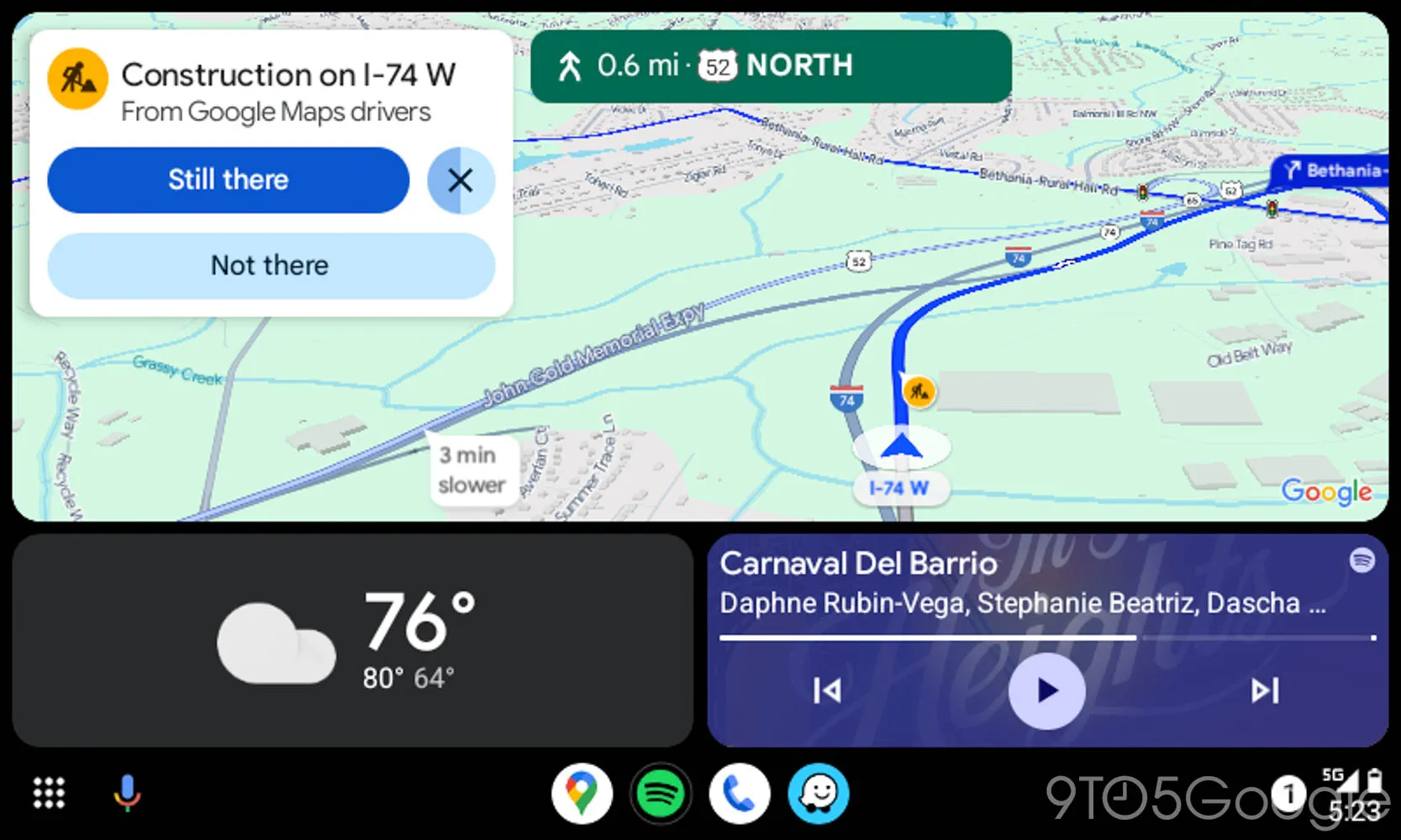
The new approach is considerably more sensible. The updated Android Auto Maps alerts now appear as a compact overlay positioned directly over the ETA display — not over your directions, not covering your route, just sitting on top of the one piece of information you’re least likely to need in that exact moment. Everything else stays put. Your next turn instruction remains visible. The map keeps rendering. The alert surfaces a simple Yes or No prompt, sits there for a few seconds, then quietly disappears if you don’t interact with it.
It’s a small change on paper, but in practice it’s a much more respectful design. The old system essentially punished you for not responding fast enough — your directions went dark until you did something. The new system is ambient. It informs without demanding.
Does It Work Across Different Screen Sizes?
One of the trickier aspects of designing for Android Auto is that it runs on an enormous variety of display shapes and sizes — from narrow portrait screens to wide landscape panels embedded in dashboards across dozens of car brands. The redesign appears to handle this well, though not identically across all setups.
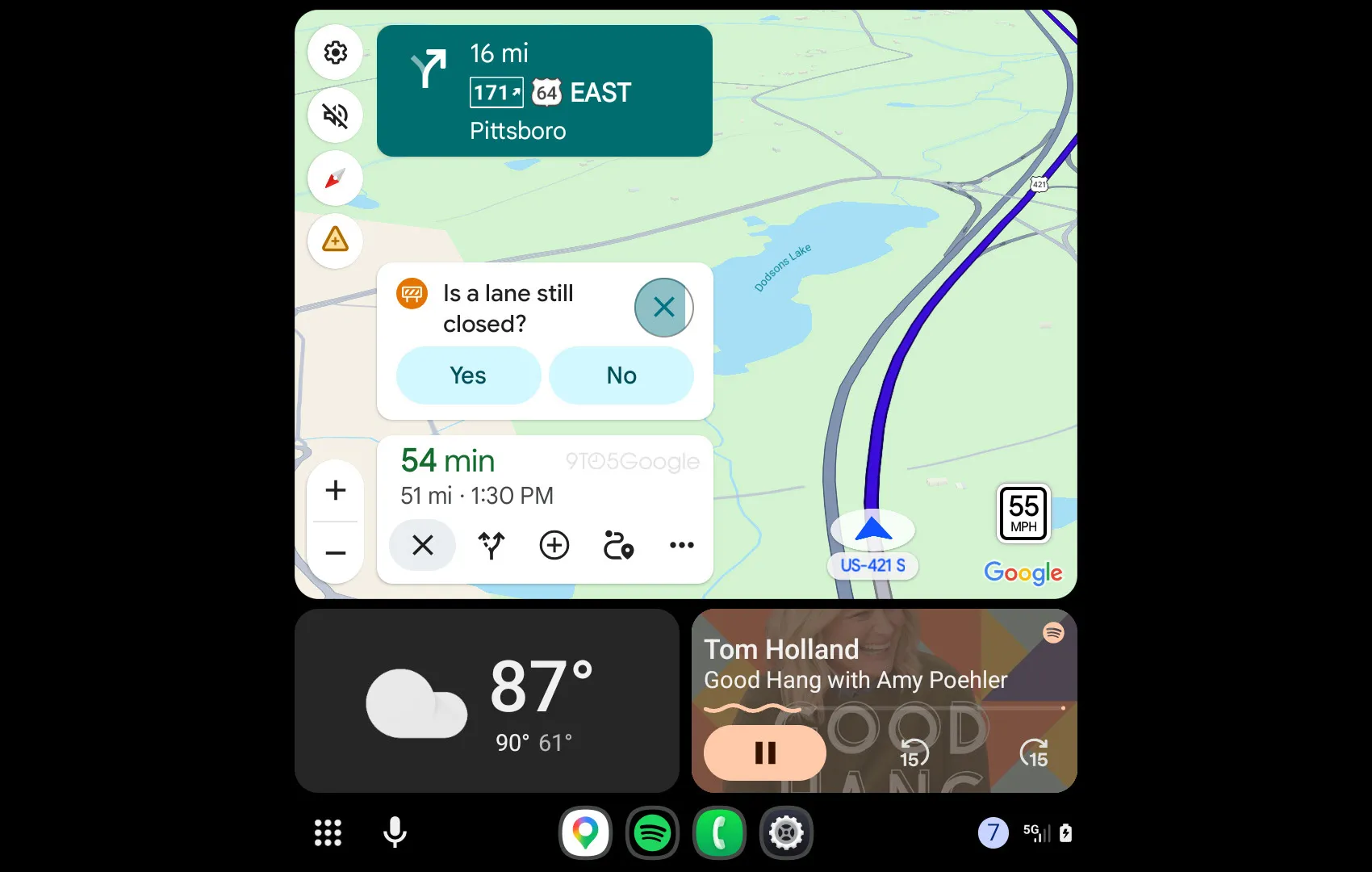
On a taller display — the change was spotted running in a Subaru Forester — the improvement is noticeable but not dramatic. That’s partly because taller screens already had more room to show navigation info alongside alerts, so the original design was less disruptive there to begin with. But on shorter, wider displays like the one in the Kia Niro EV, where screen real estate is at more of a premium, the redesign is clearly the smarter solution. The alert does push the shortcut buttons near the ETA down slightly for the few seconds it’s visible, but it never obscures turn instructions or forces a layout shift that throws you off.
Google’s engineering here reflects a broader truth about automotive UI design: distracted driving remains one of the leading causes of road incidents in the US, according to the National Highway Traffic Safety Administration, and even well-intentioned digital features can contribute to distraction if they’re not designed carefully. A pop-up that yanks your route display away — even for three seconds — is exactly the kind of friction that adds up on a busy commute.
The Waze Connection and Why This Feature Exists at All
To understand why Google added incident alerts to Maps in the first place, you have to go back to Waze. Google acquired Waze, and for years the two navigation apps operated largely in parallel — Waze kept its community-sourced hazard reporting while Google Maps remained more polished but passive. The crowdsourced incident model — where drivers flag speed traps, accidents, debris, and hazards in real time — is genuinely useful, and it’s long been Waze’s strongest card.
Google began folding that functionality into Maps more aggressively starting in 2024, first on mobile and then on Android Auto. The idea was solid. The execution of the Android Auto Maps alerts interface, as it turned out, needed work. To Google’s credit, they’ve been iterating: tweaking the feature, integrating actual Waze community reports into the Maps feed, and now addressing the UI complaint that was most consistent across user feedback.
What’s still unclear is exactly which app update triggered the new design. Google hasn’t made a formal announcement about this change. It appears to be a server-side or gradual app rollout, meaning users across different Android Auto and Google Maps versions may see it at different times. That’s become a fairly standard approach for Google — ship the change quietly, let it propagate, and confirm later (or not at all). It’s efficient, though it does leave users in the dark about what version they need to be on.
Android Auto Maps Alerts and the Bigger Picture for In-Car UX
This update sits inside a larger trend worth paying attention to. Automakers and software platforms are increasingly competing on the quality of their in-car interfaces, and the stakes are rising. Apple CarPlay and Android Auto are now standard expectations in new vehicles rather than premium features, and Android Auto Maps alerts — or rather, how gracefully they’re handled — are part of what determines whether drivers actually trust and use these systems.
Google has also been expanding Android Auto’s feature set in other directions simultaneously. Google Meet for Android Auto is now rolling out more broadly, Nintendo Music recently added Android Auto support, and third-party adapters are even bringing Android Auto and CarPlay to GM EVs that didn’t ship with it. The platform is clearly getting more capable. But raw features only matter if the core driving experience — navigation, alerts, route guidance — remains frictionless.
That’s what makes this Maps alert redesign meaningful beyond its modest scope. It shows Google is paying attention to the right feedback. Drivers aren’t looking for flashier alerts or more data. They want the information they need, delivered without breaking the flow of actually driving the car. If the rest of Android Auto’s expanding feature set gets the same careful UX consideration, the platform is in good shape. If it doesn’t, more capable will just mean more distracting.
Frequently Asked Questions
What do the new Android Auto Maps alerts look like?
The redesigned Android Auto Maps alerts appear as a small overlay directly over the estimated time of arrival. They show a Yes or No response option and disappear on their own after a few seconds without moving or hiding any other navigation elements like turn directions.
When did Google Maps add incident reporting to Android Auto?
Google Maps rolled out incident reports — a feature long associated with Waze — in 2024. It took several months before the feature arrived on Android Auto, and Waze report integration followed shortly after.
Does the new alert design work the same on every car display?
Largely yes, though with minor variation. On taller displays like the Subaru Forester, the improvement is less dramatic since Maps already kept directions visible. On shorter, wider screens like the Kia Niro EV, the new alert nudges shortcuts down slightly but avoids blocking navigation text.
Is the Android Auto Maps alerts redesign available now?
It appears to be rolling out now, though it is unclear whether a recent Android Auto or Google Maps app update triggered the change. Users are beginning to spot it across different vehicle types and screen configurations.

